Effective Friday, July 3, 2026, the office will close at 4:30 PM on Fridays. From Monday to Thursday, Sales contact hours remain unchanged from 9:00 AM to 5:00 PM, while contact hours for Accounting, Purchasing, and RMA remain unchanged in general.
We are continuously addressing issues and fixing shortcomings on our new website. We apologize for any inconvenience caused by the launch and thank you for the positive reception of our improved webshop.

To gain full access to our webshop, find our entire product range and see our prices, you need to be logged in.
Log in to your account here or sign up as a customer here.

We don't have products matching your search criteria in our local stock, so we included results from our external stocks.

Kategorier

SSD

Filters

Notification method

Show all options

Show all options

Show all options

Show all options

Product no

998696793

Model

P40496-B21

EAN

4549821410286

Product no

1001685500

Model

CT1000T500SSD5

Brand

Crucial

EAN

0649528940018

Product no

1003180990

Model

SEDC3000ME/3T8

EAN

0740617347876

Product no

988702206

Model

TS256GMTS600

EAN

0760557828396

Product no

1001153878

Model

CT4000T700SSD5

Brand

Crucial

EAN

0649528936738

Product no

1001703892

Model

SD620-512GCBK

EAN

4711085945341

Product no

1001632882

Model

49369

EAN

0023942493693

Product no

1001635717

Model

SSDPR-CX400-02T-G2

EAN

5908267964880

Product no

1001680753

Model

SP01KGBP44US7505

EAN

4713436153801

Product no

1002611023

Model

P49749-001

EAN

5715063174029

Product no

1003528357

Model

CT2000P510SSD8-T

Brand

Crucial

EAN

0649528946621

Product no

1003494149

Model

TS2TMTE260S

EAN

0760557871996

Product no

1003543885

Model

PV593P4TBM28H

EAN

4711378430639

Product no

1003829598

Model

PY-MF48PN

Brand

Fujitsu

EAN

4066733533433

Product no

1001155671

Model

CT1000T700SSD5

Brand

Crucial

EAN

0649528936714

Product no

999853705

Model

SD250-2000GN

Brand

AFOX

EAN

4897033783682

Product no

1002298738

Model

SSDSC2KB480GZ1Z

Brand

Intel

EAN

0840307303400

Product no

992779087

Model

TS1TSSD230S

EAN

0760557838753

Product no

1001009065

Model

P400LP2KGM28H

EAN

4711378424140

Product no

993767092

Model

TS128GMTS430S

EAN

0760557842910

Product no

1001848496

Model

400-BMTJ

Brand

Dell

EAN

2000001301760

Product no

996032907

Model

CT1000BX500SSD1T

Brand

Crucial

EAN

0649528821560

Product no

998692890

Model

P40510-B21

EAN

0190017508962

Internal SSDs

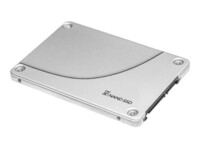
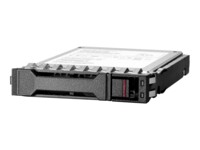
Internal SSDs are used as primary or secondary storage in desktops, workstations, and laptops where performance, stability, and compatibility are critical. The category includes solid state drives for both upgrades and new installations, delivering fast data access, low latency, and reliable operation.

Benefits for resellers

Internal SSDs are well suited for standardized configurations as well as targeted upgrades. A wide range of capacities, interfaces, and form factors makes it possible to support both legacy platforms and modern systems using consistent specifications, simplifying inventory management and compatibility decisions.

Key considerations in this category

  • Capacity: SSDs are available in multiple sizes – from smaller capacities for operating systems and basic installations to larger capacities for applications, databases, and extensive data storage.
  • Interface: The choice of interface directly affects performance and compatibility. SATA is commonly used in existing or older systems, while PCIe/NVMe delivers significantly higher speeds in modern hardware platforms.
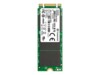
  • Form factor: Internal SSDs are available in several form factors, including 2.5" and M.2 in various lengths. The form factor must match the motherboard, chassis, and thermal constraints.
  • Performance: Sequential read/write speeds and IOPS should be aligned with the workload – from standard office use to more demanding environments.
  • Compatibility: BIOS/UEFI support and PCIe generation are important factors when upgrading existing systems.

Brands in this category

Frequently asked questions

How do you choose the right capacity?

Capacity should be selected based on data volume, application requirements, and expected future growth.

Which interface is most relevant?

SATA is typically used in older systems, while PCIe/NVMe is preferred in newer platforms with higher performance requirements.

What does form factor mean for internal SSDs?

The form factor determines physical compatibility with the motherboard and chassis and must match system specifications.

Can internal SSDs be used for upgrades?

Yes, internal SSDs are commonly used for upgrades, provided the interface and form factor are supported.