We are continuously resolving any minor issues that may arise. Thank you for your patience.

To gain full access to our webshop, find our entire product range and see our prices, you need to be logged in.
Log in to your account here or sign up as a customer here.

Kategorier

SSD

Filters

Notification method

Show all options

Show all options

Show all options

Product no

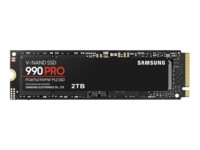
1000772591

Model

MZ-V9P2T0BW

Brand

Samsung

EAN

8806094215038

Product no

1000613068

Model

M280CS1030-500-RB

EAN

0751492641621

OBS: Bulk product
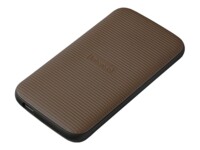
Product no

1002937583

Model

CT1000E100SSD8-T

Brand

Crucial

EAN

0649528946300

Product no

1003046788

Model

WDS200T3B0A

Brand

SanDisk

EAN

0718037884660

Product no

992828424

Model

3832450

Brand

Intenso

EAN

4034303025916

Product no

1002521233

Model

MZ-V9S1T0BW

Brand

Samsung

EAN

8806095575674

Product no

1000613066

Model

M280CS1030-250-RB

EAN

0751492642444

Product no

1003295294

Model

M280CS1030-512-BLK

EAN

3536403402822

Product no

1003410732

Model

SDSSDA-250G-G28

Brand

SanDisk

EAN

0619659217969

Product no

1002198197

Model

ZP4000GM3A073

Brand

Seagate

EAN

8719706437745

Product no

1000613065

Model

M280CS1030-1TB-RB

EAN

0751492641638

Product no

1001694650

Model

3827450

Brand

Intenso

EAN

4034303033645

Product no

1003292691

Model

CT2000P510SSD8

Brand

Crucial

EAN

0649528946072

Product no

1001152624

Model

T253TY004T0C101

EAN

0765441366022

Internal SSDs

Internal SSDs are used as primary or secondary storage in desktops, workstations, and laptops where performance, stability, and compatibility are critical. The category includes solid state drives for both upgrades and new installations, delivering fast data access, low latency, and reliable operation.

Benefits for resellers

Internal SSDs are well suited for standardized configurations as well as targeted upgrades. A wide range of capacities, interfaces, and form factors makes it possible to support both legacy platforms and modern systems using consistent specifications, simplifying inventory management and compatibility decisions.

Key considerations in this category

  • Capacity: SSDs are available in multiple sizes – from smaller capacities for operating systems and basic installations to larger capacities for applications, databases, and extensive data storage.
  • Interface: The choice of interface directly affects performance and compatibility. SATA is commonly used in existing or older systems, while PCIe/NVMe delivers significantly higher speeds in modern hardware platforms.
  • Form factor: Internal SSDs are available in several form factors, including 2.5" and M.2 in various lengths. The form factor must match the motherboard, chassis, and thermal constraints.
  • Performance: Sequential read/write speeds and IOPS should be aligned with the workload – from standard office use to more demanding environments.
  • Compatibility: BIOS/UEFI support and PCIe generation are important factors when upgrading existing systems.

Brands in this category

Frequently asked questions

How do you choose the right capacity?

Capacity should be selected based on data volume, application requirements, and expected future growth.

Which interface is most relevant?

SATA is typically used in older systems, while PCIe/NVMe is preferred in newer platforms with higher performance requirements.

What does form factor mean for internal SSDs?

The form factor determines physical compatibility with the motherboard and chassis and must match system specifications.

Can internal SSDs be used for upgrades?

Yes, internal SSDs are commonly used for upgrades, provided the interface and form factor are supported.