EN   DA   SV
To gain full access to our webshop, find our entire product range and see our prices, you need to be logged in.
Log in to your account here or sign up as a customer here.
We don't have products matching your search criteria in our local stock, so we included results from our external stocks.
Show all options
Show all options
Show all options
Show all options
Show all options

Crucial BX500 500GB SATA 2.5 SSD

  • Product no 1000727751
  • Model CT500BX500SSD1
  • Brand Crucial
  • EAN 0649528929693

Samsung PM9A3 SSD MZ1L21T9HCLS 1.92TB M.2 PCI Express 4.0 x4 (NVMe)

  • Product no 998129278
  • Model MZ1L21T9HCLS-00A07
  • Brand Samsung
  • EAN 5715063223604

Dell SSD 480GB 2.5" SATA-600

  • Product no 999265437
  • Model 345-BDFN
  • Brand Dell
  • EAN 5397184579329

Crucial SSD P310 2TB M.2 PCI Express 4.0 x4 (NVMe)

  • Product no 1002514334
  • Model CT2000P310SSD8-T
  • Brand Crucial
  • EAN 0649528942609

Transcend SSD SSD370S 256GB 2.5" SATA-600

SILICON POWER Xpower SSD XS75 1TB M.2 PCI Express 4.0 x4 (NVMe)

  • Product no 1003451872
  • Model SP01KGBP44XS75S5
  • Brand Silicon Power
  • EAN 4713436164081

EMTEC SSD X200 2TB USB 3.2 Gen 1

Transcend Solid state-drev SSD225S 1TB 2.5" SATA-600

Verbatim SSD Vi3000 2TB M.2 PCI Express 3.0 x4 (NVMe)

  • Product no 1001091821
  • Model 49376
  • Brand Verbatim
  • EAN 0023942493761

EMTEC Power Pro SSD X400-10 4TB M.2 PCI Express 4.0 x4 (NVMe)

PNY SSD CS2241 1TB M.2 PCI Express 4.0 x4 (NVMe)

Transcend SSD MTE400S 1TB M.2 PCI Express 3.0 x4 (NVMe)

HPE Solid state-drev 3.2TB 2.5" U.3 PCIe 4.0 (NVMe)

SILICON POWER SSD A55 256GB 2.5" SATA-600

  • Product no 992806328
  • Model SP256GBSS3A55S25
  • Brand Silicon Power
  • EAN 4712702659115

EMTEC SSD X205 Mini 256GB USB 3.2 Gen 2

EMTEC SSD X205 Mini 1TB USB 3.2 Gen 2

EMTEC Power Pro SSD X300 256GB M.2 PCI Express 3.0 x4 (NVMe)

Fujitsu SSD Highend 1024GB M.2 PCI Express (NVMe)

  • Product no 993657234
  • Model S26361-F4604-L101
  • Brand Fujitsu
  • EAN 4059595975428

Patriot Solid state-drev TRANSPORTER 4TB

Lexar NQ790 Solid state-drev 4TB M.2 PCI Express 4.0 x4 (NVMe)

  • Product no 1002351479
  • Model LNQ790X004T-RNNNG
  • Brand Lexar
  • EAN 843367132232

PNY CS3250 Solid state-drev 1TB M.2 PCI Express 5.0 x4 (NVMe)

Transcend SSD 110S 512GB M.2 PCI Express 3.0 x4 (NVMe)

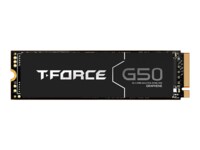
Team Group T-FORCE SSD G50 1TB M.2 PCI Express 4.0 x4 (NVMe)

  • Product no 1002253132
  • Model TM8FFE001T0C129
  • Brand Team Group
  • EAN 4711430801636

SILICON POWER Xpower Solid state-drev XS70 1TB M.2 PCI Express 4.0 x4 (NVMe)

  • Product no 1000375461
  • Model SP01KGBP44XS7005
  • Brand Silicon Power
  • EAN 4713436146322

Internal SSDs

Internal SSDs are used as primary or secondary storage in desktops, workstations, and laptops where performance, stability, and compatibility are critical. The category includes solid state drives for both upgrades and new installations, delivering fast data access, low latency, and reliable operation.

Benefits for resellers

Internal SSDs are well suited for standardized configurations as well as targeted upgrades. A wide range of capacities, interfaces, and form factors makes it possible to support both legacy platforms and modern systems using consistent specifications, simplifying inventory management and compatibility decisions.

Key considerations in this category

  • Capacity: SSDs are available in multiple sizes – from smaller capacities for operating systems and basic installations to larger capacities for applications, databases, and extensive data storage.
  • Interface: The choice of interface directly affects performance and compatibility. SATA is commonly used in existing or older systems, while PCIe/NVMe delivers significantly higher speeds in modern hardware platforms.
  • Form factor: Internal SSDs are available in several form factors, including 2.5" and M.2 in various lengths. The form factor must match the motherboard, chassis, and thermal constraints.
  • Performance: Sequential read/write speeds and IOPS should be aligned with the workload – from standard office use to more demanding environments.
  • Compatibility: BIOS/UEFI support and PCIe generation are important factors when upgrading existing systems.

Brands in this category

Frequently asked questions

How do you choose the right capacity?

Capacity should be selected based on data volume, application requirements, and expected future growth.

Which interface is most relevant?

SATA is typically used in older systems, while PCIe/NVMe is preferred in newer platforms with higher performance requirements.

What does form factor mean for internal SSDs?

The form factor determines physical compatibility with the motherboard and chassis and must match system specifications.

Can internal SSDs be used for upgrades?

Yes, internal SSDs are commonly used for upgrades, provided the interface and form factor are supported.