Internal hard drives
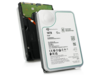
Internal hard drives are used for capacity-oriented storage in desktop PCs, workstations, servers, and storage systems where cost per GB and predictable operation are key parameters. The category covers internal HDDs, hard disk drives, and mechanical drives for both upgrades and new builds, as well as solutions where large data volumes need to be archived or handled locally.
Benefits for resellers
Internal hard drives make it possible to work with fixed capacity tiers and well-known form factors for standard configurations, service replacements, and project deliveries. The assortment can be composed to include models for general PC storage as well as drives targeted at scenarios requiring high uptime, sustained read/write workloads, or storage in NAS environments.
Key considerations in this category
- Capacity and use case: Select capacity based on data volume, retention needs, and whether the drive is mainly for archive, backup, or active data workloads.
- Form factor: 3.5" is typically used in desktops and storage systems, while 2.5" is often found in compact systems and certain enterprise setups.
- Interface: SATA is common for standard platforms, while SAS can be relevant in server and storage environments with specific controller requirements.
- Performance profile: RPM, cache, and workload ratings affect responsiveness and stability under sustained loads.
- Compatibility: Check motherboard/controller support, chassis bay space, and cooling; mismatches can lead to noise, heat, or reduced lifespan.
- Complementary storage: For faster system storage, an SSD can be combined with HDDs for data, archive, and backup.
Related subcategories
Internal HDD
Mechanical hard drives for capacity-focused storage in PCs, workstations, and storage tasks.
Internal SSD
Storage with a focus on higher speed and lower latency, often used as system and application drives.
Components
Related parts for complete builds and replacements where storage must match the rest of the hardware.
Computer cases
Case selection affects drive mounting, airflow, and space for 2.5"/3.5" drives.
Fans and coolers
Proper cooling can improve stability and lifespan, especially in systems with multiple drives or high duty cycles.
Brands in this category
Frequently asked questions
When do internal hard drives make more sense than SSDs?
When capacity and cost per GB matter more than maximum speed, such as for archives, backups, and large data sets.
Which form factor should be chosen: 2.5" or 3.5"?
3.5" is typically standard for desktops and storage systems, while 2.5" is often used in compact systems and some enterprise platforms.
What should be considered regarding the interface?
SATA fits most standard platforms, while SAS requires a compatible controller and is more common in server and storage environments.
Can HDDs and SSDs be combined in the same system?
Yes, an SSD can be used for OS and applications while HDDs handle data, archives, and backups.
How does cooling affect operation and lifespan?
Stable temperatures reduce the risk of failures under long-term load, especially in multi-drive systems.