
EN   DA   SV
To gain full access to our webshop, find our entire product range and see our prices, you need to be logged in.
Log in to your account here or sign up as a customer here.
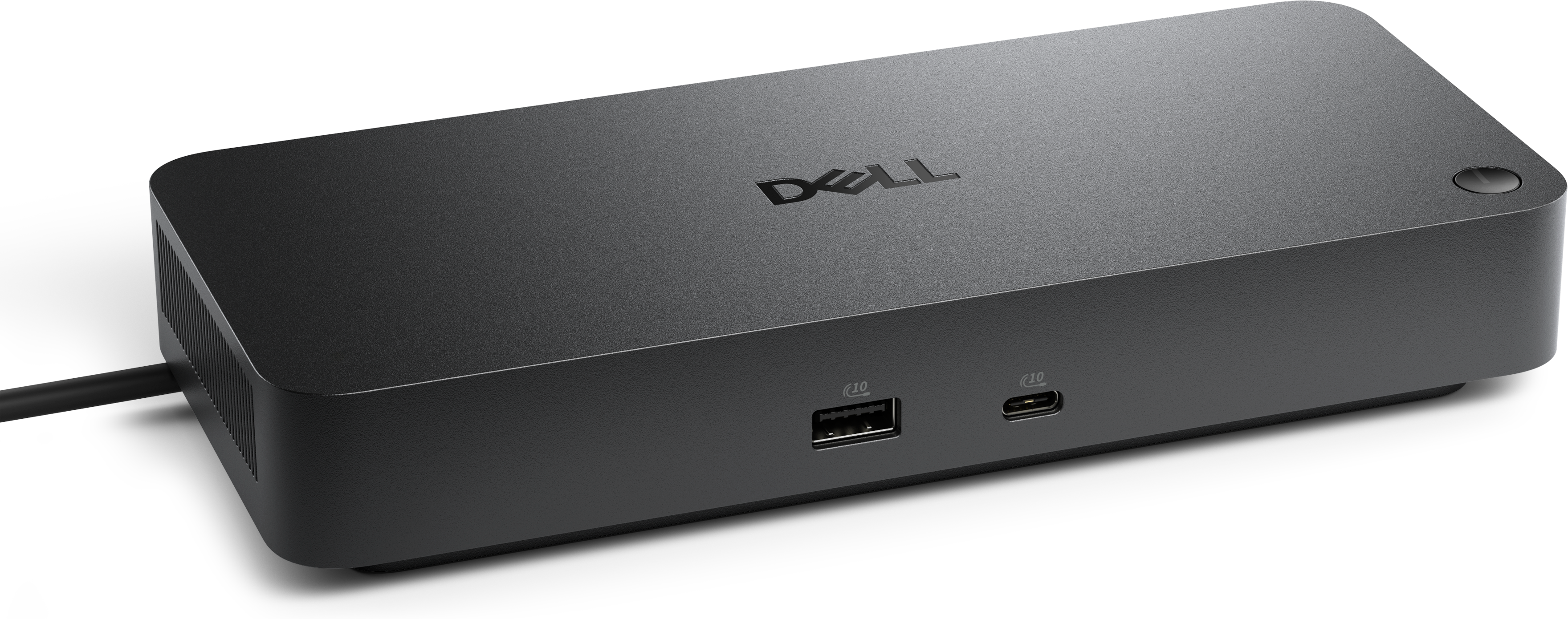
Dell Pro Dock WD25Z USB-C Dockingstation

Dell Pro Dock WD25Z - Dockingstation - USB-C - HDMI, 2 x DP, USB-C - 1GbE, 2.5GbE - 180 Watt - BTO - med 3 års Basic Hardware Service with Advanced Exchange efter fjerndiagnose - Disti SNS

Dell Pro Dock WD25Z fungerer som en pålidelig dockingstation, der øger produktiviteten med sin brede vifte af funktioner. Denne dock er designet med et integreret USB-C-kabel og måler 90 cm, hvilket giver mulighed for effektiv organisering af skrivebordet. Den understøtter flere videointerfaces, herunder HDMI og DisplayPort, hvilket giver fleksibilitet til forskellige skærmopsætninger, herunder dobbelt-, enkelt- og firdobbelt skærme med opløsninger på op til 6K.

  • Product no 1003760403

    Model DELL-WD25Z

    Brand

    Go to brand's website

    EAN 5397321029045

    Weight 1.61 kg

  • Product information and specifications are guiding only. Without notice, these can be subject to change by the manufacturer. This applies for product images as well.
Produktbeskrivelse Dell Pro Dock WD25Z - dockingstation - USB-C - HDMI, 2 x DP, USB-C - 1GbE, 2.5GbE
Produkttype Dockingstation
Docking-interface USB-C
Videointerfacer HDMI, 2 x DP, USB-C
Dimensioner (B x D x H) 20.5 cm x 9 cm x 3.525 cm
Vægt 549 g
Netværk Gigabit Ethernet, 2.5 Gigabit Ethernet
Effekt Strømforsyningsadapter AC 100-240 V (50 - 60 Hz) 180 Watt Strømforsyning (19.5 V)
Pristype BTO
Servicepakker 3 års Basic Hardware Service with Advanced Exchange efter fjerndiagnose - Disti SNS

Alsidige tilslutningsmuligheder

Dell Pro Dock WD25Z har en række forskellige grænseflader, herunder 2 x DisplayPort 1.4, HDMI og flere USB-C 3.2 Gen 2-porte, hvilket sikrer kompatibilitet med en lang række enheder og perifere enheder.

Understøttelse af høj opløsning

Denne dockingstation understøtter flere skærme med fremragende opløsninger, hvilket giver en problemfri og fordybende brugeroplevelse, uanset om der er tale om en enkelt, dobbelt eller firdobbelt skærmkonfiguration.

Effektiv strømforsyning

Dockingen er udstyret med en strømadapter, der leverer 180 W, og kan levere op til 130 W til Dell-systemer, samtidig med at den understøtter 96 W til ikke-Dell-enheder, hvilket sikrer, at enhederne forbliver strømforsynede under brug.

Avancerede funktioner for produktivitet

Dockingen indeholder funktioner som Wake on LAN, Preboot Execution Environment-understøttelse og MAC-adresse-pass-through, hvilket gør den ideel til dynamiske kontormiljøer, hvor tilslutningsmuligheder og tilgængelighed er afgørende.

Robuste sikkerhedsindstillinger

Dell Pro Dock WD25Z er designet med en Kensington-sikkerhedsslot og en Noble Wedge-sikkerhedsslot, hvilket sikrer, at følsomt udstyr forbliver sikkert tilsluttet i ethvert miljø.

Dell Pro Dock - WD25Z

Dell Pro Dock - WD25Z

Boost your productivity with the latest pro dock, offering 130W power delivery and a wide variety of connectivity options.
slide {0} of {1}, zoom in, Product image
Video Resolution
Interfaces
OS Required

Video Resolution

1280 x 1024 
1920 x 1080 
2560 x 1440 
3840 x 2160 
3440 x 1440 
5120 x 2160 
6144 x 3456

Interfaces

USB Type C

OS Required

Windows 10 
Windows 11 
Ubuntu 24.04 
ChromeOS 137 
Red Hat Enterprise 
Linux 9.6
Cables
Features / Data Link Protocol

Cables

90 cm

Features / Data Link Protocol

Power Delivery Pass-through 
LED Power Indicator 
Indicator Light
Fuel your AI productivity

Fuel your AI productivity

Create a highly compatible, single-cable workspace with a dock that features six USB ports, supports up to four displays, and delivers up to 130W of power to the latest Dell AI PCs, ensuring optimal productivity.
Accelerate manageability 

Easily keep your dock updated, ensuring uninterrupted productivity.
Product image

Improved manageability

Manage your dock from the Dell Device Management Console by utilizing Dell Display and Peripheral Manager, and Dell Device Management Agent installed on your PC.

Simplify firmware updates

Reduce IT complexity by deploying a single firmware file across workspaces. Minimise end-user disruption with silent firmware updates that are executed upon dock disconnection.

Work with confidence

Enhance your docking experience with universally compatible features including MAC Address Pass-Through and Power Button Sync[1], for a better docking experience across brands.
Connect your way0:09

Connect your way

Configure your workspace to your liking with an ambidextrous USB-C cable[2] that can be routed left or right.
Designed for sustainability

Designed for sustainability

The new generation of Dell Pro Docks reflect a commitment to sustainable design innovation to reduce environmental impact. The WD25Z is built with sustainable materials and packaged with at least 65% post-recycled content (PCR) plastic[3] and 100% recycled or renewable packaging[3].
Ports and slots
Product image

Front side

  • USB-A 3.2 Gen 2 with PowerShare 
  • USB-C 3.2 Gen 2
  • Rear side

    3.HDMI 2.1 
    4.DisplayPort 1.4 
    5.DisplayPort 1.4 
    6.USB-C 3.2 Gen 2 Multifunction DisplayPort 1.4 
    7.USB-A 3.2 Gen 2 with PowerShare
    8.USB-A 3.2 Gen 2 with PowerShare
    9.USB-A 3.2 Gen 2 with PowerShare 
    10.2.5 Gigabit Ethernet (RJ45) 
    11.Power In
  • Power Button Sync will work with non-Dell notebooks if they support PD3.1 spec. 
  • The accurate length of this cable is 0.83 meters. The image provided is for illustrative purposes only. 
  • Based on internal analysis, December 2024. 

  • RMA