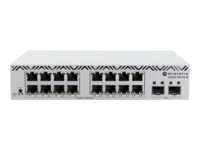
Network switches from Ubiquiti, TP-Link and TrendNet
DCS ApS supplies network switches of the highest quality from brands such as Trendnet, Ubiquiti and TP-Link, offering a stable, scalable and well-documented assortment. A switch connects wired devices within the same LAN and forwards traffic intelligently based on MAC addresses.
What is a switch?
In practice, “internet switches” do not exist as a technical term. A router handles the connection to the internet, while a network switch expands and organizes the local wired network. Where an old hub sends all traffic to all devices, a switch filters the traffic port by port, providing higher performance and less collision noise.
Unmanaged, managed and Layer-3 – when does it make sense?
Unmanaged switches are plug-and-play solutions used when simple expansion is more important than segmentation and policies. They are ideal for quick deployments, temporary needs or in small environments where stable Gigabit is the goal. Managed switches provide control: VLAN for traffic separation (e.g. guests, cameras, office), QoS for prioritizing voice/video, LACP for link aggregation as well as monitoring and alerts. In larger environments, Layer-3 functions add static routing or OSPF so that traffic can be managed effectively between VLANs without burdening the core router.
PoE – data and power in the same cable
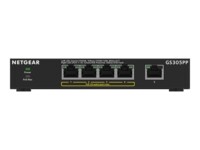
With PoE (802.3af/at/bt) you can power access points, IP cameras and phones directly from the switch. The key is correct budgeting: sum the expected power consumption per device and choose a model with a PoE budget comfortably above the total requirement – ideally with buffer for future devices. This reduces bottlenecks and ensures all ports deliver stable power, even under peak load.
Rack switches – when operation and density matter
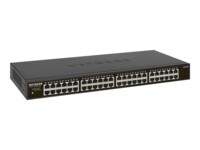
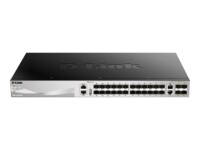
Rack switches are units designed for server rooms and data cabinets. They typically offer 24 or 48 copper ports, SFP/SFP+ uplinks for fiber or high-speed backbone, front-to-back airflow for efficient cooling and often redundant power supplies in enterprise class. For meeting rooms and quiet offices, fanless models exist where low noise levels are essential.
Speeds and uplinks – 1G, 2.5G and 10G in the same solution
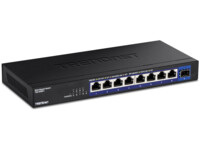
Gigabit is standard for clients, printers and IoT. If the workflow requires higher throughput – e.g. for modern Wi-Fi 6E/7 access points or fast NAS – 2.5G per port provides a significant boost without replacing existing Cat5e/Cat6 cabling. For servers, storage and backbone, 10G SFP+ uplinks are recommended to prevent the core and distribution layer from becoming bottlenecks.
Security and operation – best practices
Professional installations should enable VLAN separation, DHCP Snooping and dynamic ARP inspection to reduce attack surfaces. 802.1X network access provides port-based authentication, while STP/RSTP/MSTP protect against loops. With SNMP/telemetry and syslog, operations get early warnings about errors, temperatures and port status, so downtime can be prevented.
The assortment at DCS ApS – breadth, depth and scalability
As a distributor for resellers, DCS ApS covers the full spectrum: compact desktop models for edge, silent fanless variants for office environments, PoE switches with small and large budgets, and rack-optimized models with high port density, stacking and 10G uplinks. Whether the project is a single site with few ports or a multi-site deployment with segmented VLANs and central management, the range can be configured to meet the customer’s needs today and grow with the business.
From need to solution – how to advise the customer
Start by mapping the number of devices now and in the near future, and allow capacity for expansion. Clarify PoE requirements (number of APs, cameras and phones) and their power consumption. Define segmentation (VLAN) and requirements for monitoring, logging and access control. Assess whether 2.5G makes sense on selected ports, and whether the backbone should be upgraded to 10G. Finally, choose form factor: discreet desktop for rooms – or 19” rack for technical rooms.
Why DCS ApS for resellers?
DCS ApS combines a wide range with pragmatic presales support, so you can quickly match the customer’s environment with the right switch class. We assist with dimensioning PoE budgets, choosing uplinks and designing VLAN structures, ensuring your solution is scalable, reliable and easy to support. Contact us for advice and reseller terms.