EN   DA   SV
To gain full access to our webshop, find our entire product range and see our prices, you need to be logged in.
Log in to your account here or sign up as a customer here.
We don't have products matching your search criteria in our local stock, so we included results from our external stocks.
Show all options
Show all options
Show all options
Show all options
Show all options

Intenso SSD 128GB 1.8" USB 3.0

  • Product no 992631980
  • Model 3823430
  • Brand Intenso
  • EAN 4034303025367

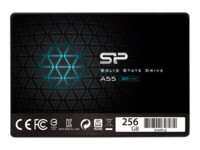
SILICON POWER SSD A55 256GB 2.5" SATA-600

  • Product no 992806328
  • Model SP256GBSS3A55S25
  • Brand Silicon Power
  • EAN 4712702659115

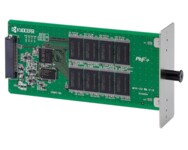
Kyocera SSD HD-6 32GB

  • Product no 988355846
  • Model 1505J40UN0
  • Brand Kyocera
  • EAN 0632983026533

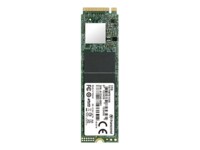
Transcend SSD 110S 256GB M.2 PCI Express 3.0 x4 (NVMe)

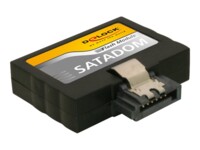
DeLOCK SSD SATA Flash Module Vertikal / Low Profile 2GB SATA-300

  • Product no 988727134
  • Model 54368
  • Brand DeLOCK
  • EAN 4043619543687

Samsung Portable SSD T7 SSD MU-PC2T0H 2TB USB 3.2 Gen 2

  • Product no 995953115
  • Model MU-PC2T0H/WW
  • Brand Samsung
  • EAN 8806090312403

EMTEC Power Pro SSD X300 256GB M.2 PCI Express 3.0 x4 (NVMe)

Intel SSD Solid-State Drive DC S3520 Series 960GB 2.5" SATA-600

  • Product no 991626945
  • Model SSDSC2BB960G701
  • Brand Intel
  • EAN 0735858311663

Transcend SSD SSD370S 256GB 2.5" SATA-600

Transcend SSD SSD230 128GB 2.5" SATA-600

Transcend SSD MTS820 480GB M.2 SATA-600

Transcend SSD 110S 512GB M.2 PCI Express 3.0 x4 (NVMe)

ADATA Legend SSD 900 1TB M.2 PCI Express 5.0 x4 (NVMe)

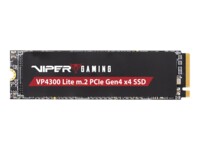
Patriot SSD Viper VP4300 Lite 2TB M.2 PCI Express 4.0 x4 (NVMe)

  • Product no 1001354370
  • Model VP4300L2TBM28H
  • Brand Patriot Memory
  • EAN 4711378425376

ADATA Legend SSD 960 2TB M.2 PCI Express 4.0 x4

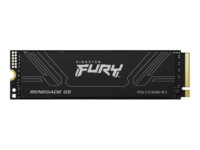
Kingston FURY SSD Renegade G5 8TB M.2 PCI Express 5.0 x4 (NVMe)

SanDisk Extreme SSD PRO Portable 2TB USB 3.2 Gen 2x2

  • Product no 996499201
  • Model SDSSDE81-2T00-G25
  • Brand SanDisk
  • EAN 0619659181314

Patriot SSD P210 2TB 2.5" SATA-600

Transcend SSD MTS420 240GB M.2 SATA-600

Micron SSD 7500 PRO 3.84TB 2.5" U.3 PCIe 4.0 (NVMe)

  • Product no 1001874541
  • Model MTFDKCC3T8TGP-1BK1DA
  • Brand Micron Systems
  • EAN 0649528941374

Micron SSD 7450 PRO 3.84TB M.2 PCI Express 4.0 (NVMe)

  • Product no 1000794503
  • Model MTFDKBG3T8TFR-1BC1ZA
  • Brand Micron Systems
  • EAN 0649528924834

Micron SSD 5400 MAX 480GB 2.5" Serial ATA-600

  • Product no 1000697408
  • Model MTFDDAK480TGB-1BC1ZA
  • Brand Micron Systems
  • EAN 0649528934246

Internal SSDs

Internal SSDs are used as primary or secondary storage in desktops, workstations, and laptops where performance, stability, and compatibility are critical. The category includes solid state drives for both upgrades and new installations, delivering fast data access, low latency, and reliable operation.

Benefits for resellers

Internal SSDs are well suited for standardized configurations as well as targeted upgrades. A wide range of capacities, interfaces, and form factors makes it possible to support both legacy platforms and modern systems using consistent specifications, simplifying inventory management and compatibility decisions.

Key considerations in this category

  • Capacity: SSDs are available in multiple sizes – from smaller capacities for operating systems and basic installations to larger capacities for applications, databases, and extensive data storage.
  • Interface: The choice of interface directly affects performance and compatibility. SATA is commonly used in existing or older systems, while PCIe/NVMe delivers significantly higher speeds in modern hardware platforms.
  • Form factor: Internal SSDs are available in several form factors, including 2.5" and M.2 in various lengths. The form factor must match the motherboard, chassis, and thermal constraints.
  • Performance: Sequential read/write speeds and IOPS should be aligned with the workload – from standard office use to more demanding environments.
  • Compatibility: BIOS/UEFI support and PCIe generation are important factors when upgrading existing systems.

Brands in this category

Frequently asked questions

How do you choose the right capacity?

Capacity should be selected based on data volume, application requirements, and expected future growth.

Which interface is most relevant?

SATA is typically used in older systems, while PCIe/NVMe is preferred in newer platforms with higher performance requirements.

What does form factor mean for internal SSDs?

The form factor determines physical compatibility with the motherboard and chassis and must match system specifications.

Can internal SSDs be used for upgrades?

Yes, internal SSDs are commonly used for upgrades, provided the interface and form factor are supported.