|
Produktbeskrivelse
|
Dell Universal Dock - UD22 - dockingstation - USB-C - 2 x DP, HDMI, USB-C - 1GbE
|
|
Produkttype
|
Dockingstation
|
|
Docking-interface
|
USB-C
|
|
Videointerfacer
|
2 x DP, HDMI, USB-C
|
|
Dimensioner (B x D x H)
|
7.62 cm x 16.5 cm x 3.3 cm
|
|
Vægt
|
416 g
|
|
Netværk
|
Gigabit Ethernet
|
|
Effekt
|
Strømforsyningsadapter 96 watt Strømforsyning
|
|
Pristype
|
BTO
|
|
Servicepakker
|
3 års Advanced Exchange Basic Warranty
|
Effective Friday, July 3, 2026, the office will close at 4:30 PM on Fridays. From Monday to Thursday, Sales contact hours remain unchanged from 9:00 AM to 5:00 PM, while contact hours for Accounting, Purchasing, and RMA remain unchanged in general.
To gain full access to our webshop, find our entire product range and see our prices, you need to be logged in.
Log in to your account here or sign up as a customer here.
Dell Universal Dock - UD22 USB-C Dockingstation
Dell Universal Dock - UD22 - Dockingstation - USB-C - 2 x DP, HDMI, USB-C - 1GbE - 96 watt - BTO - med 3 års Advanced Exchange Basic Warranty
Product no:
1000662097
Model:
DELL-UD22
EAN:
5397184718841
Brand:

Weight:
1.2 kg
Product information and specifications are guiding only. Without notice, these can be subject to change by the manufacturer. This applies for product images as well.
Specifications

Full specifications
|
General
|
|
|---|---|
|
Depth
|
16.5 cm
|
|
Height
|
3.3 cm
|
|
Product Type
|
Docking station
|
|
Weight
|
416 g
|
|
Width
|
7.62 cm
|
|
Video
|
|
|
Max Resolution Details
|
5K - 60 Hz
|
|
Networking
|
|
|
Data Link Protocol
|
Gigabit Ethernet
|
|
Expansion / Connectivity
|
|
|
Interfaces
|
2 x display / video - DisplayPort - 20 pin DisplayPort (1.4) | 1 x display / video - HDMI | 1 x USB-C 3.2 Gen 2/DisplayPort | 1 x USB 3.2 Gen 2 with PowerShare | 3 x USB 3.2 Gen 2 | 1 x USB-C 3.2 Gen 2 | 1 x network - RJ-45
|
|
Miscellaneous
|
|
|
Cables Included
|
1 x USB-C cable - 0.79 m
|
|
Features
|
Security lock slot (cable lock sold separately), wake on LAN, 3 LED indicators, MAC address pass-through, wireless vPro, 96W power delivery, High Bit Rate 3 (HBR3), High Bit Rate 2 (HBR2), Kernel Direct Memory Access (DMA) protection
|
|
Pricing Type
|
BTO
|
|
Security Slot Type
|
Kensington nano security slot / Kensington security slot
|
|
Power
|
|
|
Power Device
|
Power adapter
|
|
Power Provided
|
130 Watt
|
|
System Requirements
|
|
|
OS Required
|
Windows 10, Windows 11, Ubuntu 20.04 or later, Apple macOS 12.21 or later, Google Chrome OS 100 or later
|
|
Manufacturer Warranty
|
|
|
Bundled Services
|
3 years Advanced Exchange Service and Limited Hardware Warranty
|
|
Service & Support
|
Basic Advanced Exchange (Disti SNS) - 39 months
|
Media
.jpg)
.jpg)
Dell Universal Dock - UD22
Experience the ultimate universal dock, equipped with 10 ports, for any USB-C notebook..jpg)
.jpg)
.jpg)
.jpg)
 1:00
1:00.png)
.png?ts=637995512629011104) 0:07
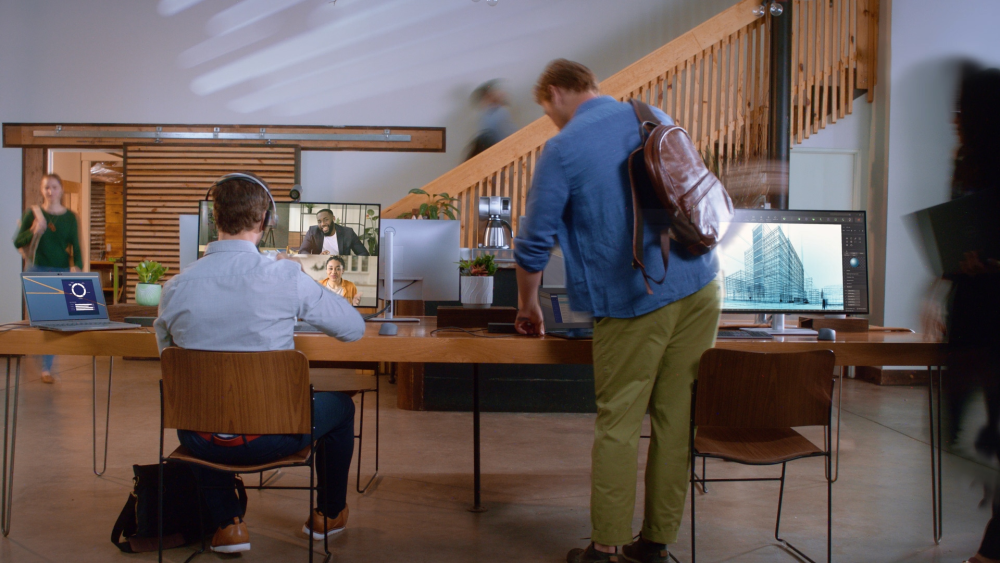
0:07Ensartet oplevelseOpret forbindelse til enhver USB-C-notebook uanset producenten, og kør ethvert operativsystem.Multipel skærmsupportForbedr dine samarbejdsområder med ensartet skærmsupport på tværs af forskellige systemer.Høj strømforsyningFå en hurtigtopladende oplevelse med op til 96 W strømforsyning til enhver USB-C-notebook.
Universal connectivity
Consistent experienceConnect to any USB-C notebook, regardless of the manufacturer, and run any operating system.
Multiple monitor support
Enhance your coworking spaces with consistent display support across different systems.
High power delivery
Achieve a fast-charging experience with up to 96 W power delivery for any USB-C notebook.
.png)
Next-level productivity
Enhanced display supportMaximize productivity with the highest number of displays supported on a universal dock, enabling connection of up to four 4K monitors via DisplayLink drivers.
Multiple ports
With the highest number of ports on a universal dock, create a productive work station with increased flexibility.
.png)
Seamless experience and supportive management
Faster, easier deploymentConnect your laptop and get started quickly even when the DisplayLink driver is not installed, thanks to the additional support for DP Alt mode.
Hoteling made convenient
Enhance the shared workspace experience further with DisplayLink’s layout provisioning feature that enables preconfigured display layout automatically for the users.
.png)
Connectivity Options
Front View:1. USB-A 3.2 Gen 22. USB-A 3.2 Gen 2 with PowerShare 3. USB-C 3.2 Gen 2 with PowerShare
Rear View:
4. Power In5. HDMI 2.0 6. DisplayPort 1.2 (2)7. Gigabit Ethernet RJ45 8. USB-A 3.2 Gen 2 (2)9. USB 3.2 Gen 2 Type-C with DisplayPort 1.4 Alt Mode
.jpg)
.jpg)
.jpg)
Support
RMA
For håndtering og oprettelse af Dell garantiKontakt Dell på 70 23 01 82
Har du dit service tag, så benyt formularen så bliver du videre sendt til den rigtige afdeling.
http://www.dell.com/support/incidents/dk/da/dkdhs1/Phone/Phonetagentry