


To gain full access to our webshop, find our entire product range and see our prices, you need to be logged in.
Log in to your account here or sign up as a customer here.
Log in to your account here or sign up as a customer here.
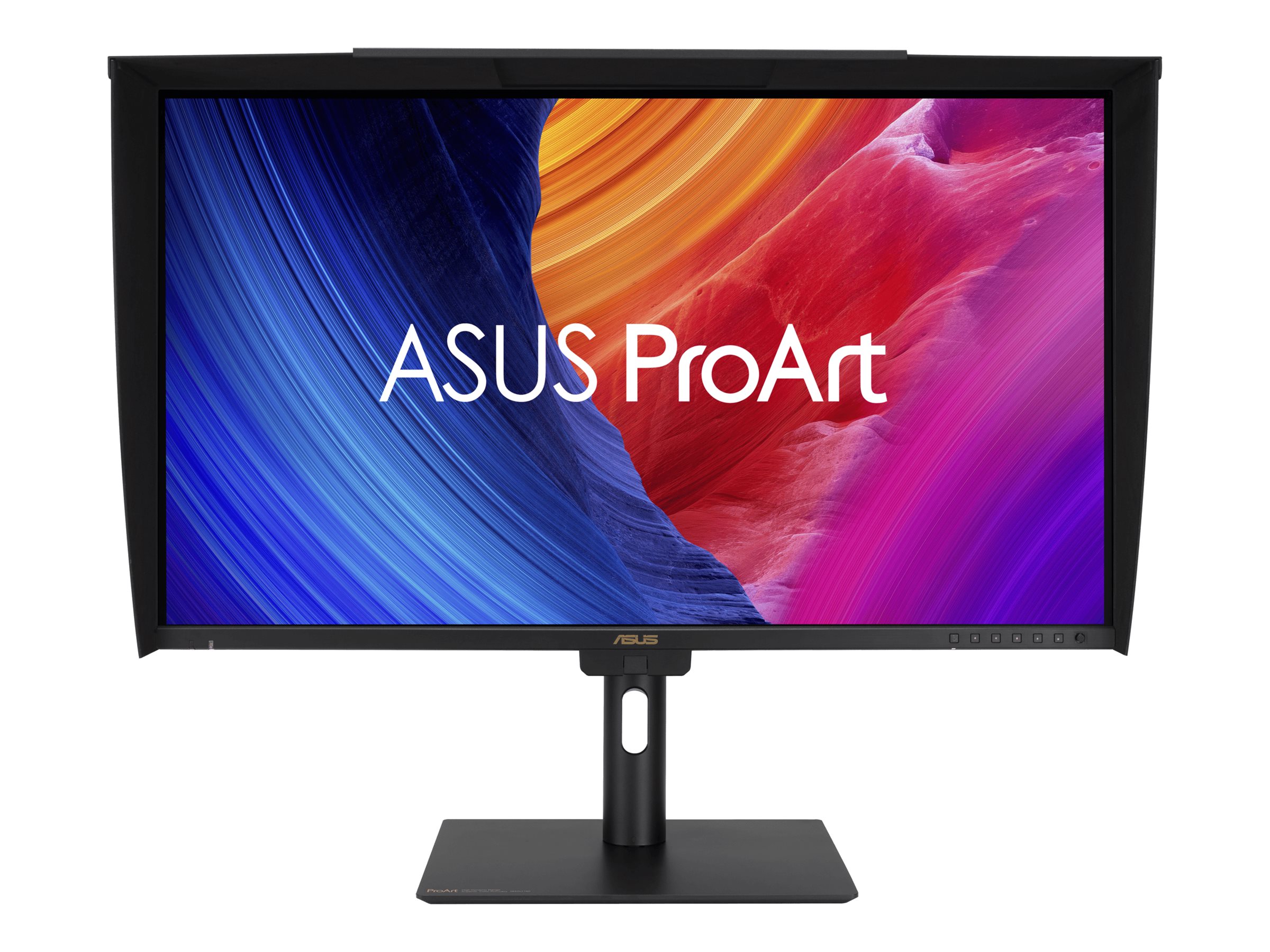
ASUS ProArt PA27UCGE 27" IPS 3840 x 2160 (4K) HDMI DisplayPort USB-C 160Hz Dockingskærm
ASUS ProArt PA27UCGE - LED-skærm - 27" - 3840 x 2160 4K @ 160 Hz - IPS - 600 cd/m² - 1000:1 - DisplayHDR 600 - 1 ms - 2xHDMI, DisplayPort, USB-C - højtalere - sort
-
Product no 1003486773
Model PA27UCGE
Brand ASUSTeK COMPUTER
Go to brand's websiteEAN 4711387734667
Weight 10.6 kg
-
Product information and specifications are guiding only. Without notice, these can be subject to change by the manufacturer. This applies for product images as well.
| Produktbeskrivelse | ASUS ProArt PA27UCGE - LED-skærm - 4K - 27" - HDR |
| Enhedstype | LED-baggrundsbelyst LCD-skærm - 27" |
| Energimærke QR-kode URL | Https://eprel.ec.europa.eu/qr/2216353 |
| Energiklasse | Klasse F |
| Egenskaber | KVM switch, USB 3.2 Gen 1 hub, nærhedssensor, omgivende lyssensor, baggrundslyssensor, USB PD 96 watt |
| Paneltype | IPS |
| Formatforhold | 16:9 |
| Standard opløsning | 4K 3840 x 2160 ved 160 Hz |
| Pixel Pitch | 0.155 mm |
| Lysstyrke | 600 cd/m² |
| Kontrastforhold | 1000:1 |
| HDR-kapabel | HDR10 / DisplayHDR 600 |
| Responstid | 1 ms (grå-til-grå) |
| Farve support | 1,07 milliarder farver |
| Farvespektrum | 100% sRGB, 98% DCI-P3 |
| Input-stik | 2xHDMI, DisplayPort, USB-C |
| Justeringer til display-position | Højde, pivot (rotering), drejbar, tilt |
| Skærmbelægning | Blændfri, anti-reflekterende |
| Spænding | AC 100-240 V (50/60 Hz) |
| Farve | Sort |
| Dimensioner (B x D x H) - med stander | 61.24 cm x 20.18 cm x 57.47 cm |
| Vægt | 6.4 kg |
| Miljømæssige standarder | ENERGY STAR kvalificeret EPEAT Gold |
| Overensstemmelsesstandarder | VCCI, BSMI, ICES-003, CB, CCC, PSB, FCC, RoHS, ISO 9241-307, KCC, WEEE, PSE Mark, cTUVus, J-MOSS, CEC, UkrSEPRO, KC, ERP, CEL, RCM, TUV Rheinland Low Blue Light Certification, EU Energy Label, CU, TUV Rheinland Flicker Free Certification, Ukraine Energy Label, Korea MEPS |
| Producentgaranti | 3 års garanti |
.png)
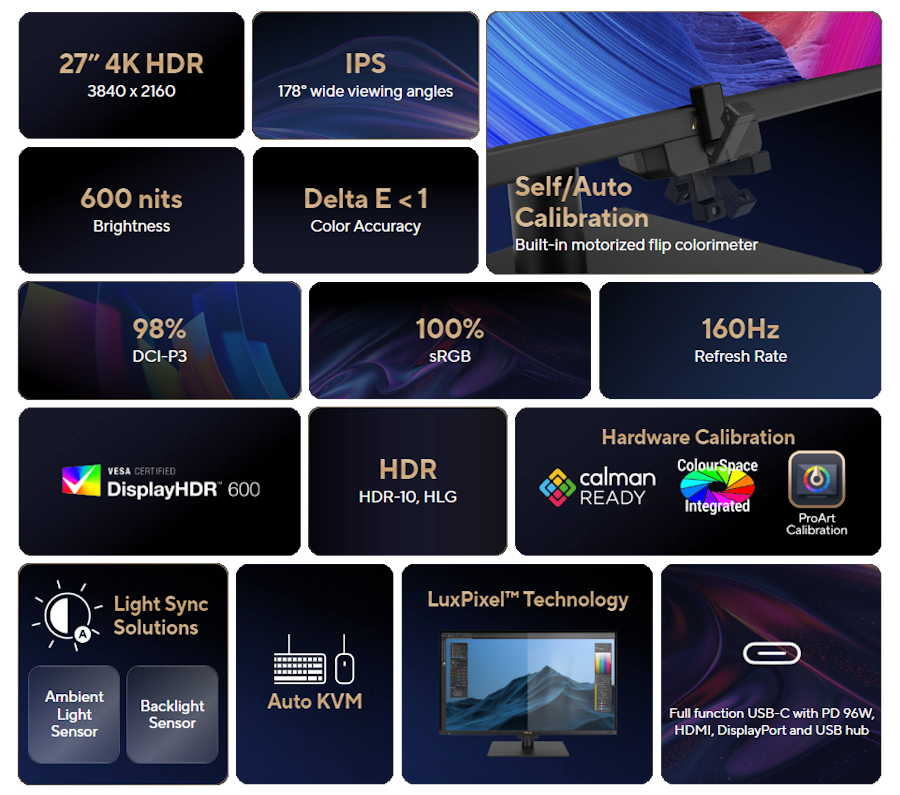
ASUS ProArt Display PA27UCGE Professional Monitor – 27-inch, 4K (3840 x 2160), IPS, 600 nits, 98% DCI-P3, Delta E<1 color accuracy, 160 Hz, Built-in Motorized Colorimeter, Self / Auto Calibration, Hardware Calibration, HDR-10, HLG, Auto KVM, LuxPixel™ AGLR, Light Sync, USB-C® PD 96 W, ergonomic stand, Calman Ready, ColourSpace Integration, eco-friendly and sustainable design
- 27-inch 4K (3840 x 2160) LuxPixel™ AGLR display with 178° wide-view IPS panel
- Wide 98% DCI-P3 and 100% sRGB gamut to meet international color standards along with industry-leading Delta E < 1 color accuracy
- 160Hz variable refresh rate (VRR), providing creators smooth fast-rendering and comfortable viewing experience
- Built-in colorimeter supports Self / Auto calibration, as well as Calman and Light Illusion ColourSpace CMS professional calibr ation software
- ASUS Light Sync solution with Ambient Light Sensor and Backlight Sensor to ensure reliable color performance
- Extensive connectivity including DisplayPort™ over USB-C® with 96-watt Power Delivery, DisplayPort™, HDMI® and USB hub
- Built-in Auto KVM allows for effortless switching between two connected laptops or PCs with a single keyboard and mouse
- Eco-friendly with sustainable paper packaging and energy-efficient performance
.jpg)
.png)
.png)
.png)
.png)
.png)
.png)
.png)
.png)
.png)
.png)
.png)
.png)
.png)
.png)
.png)
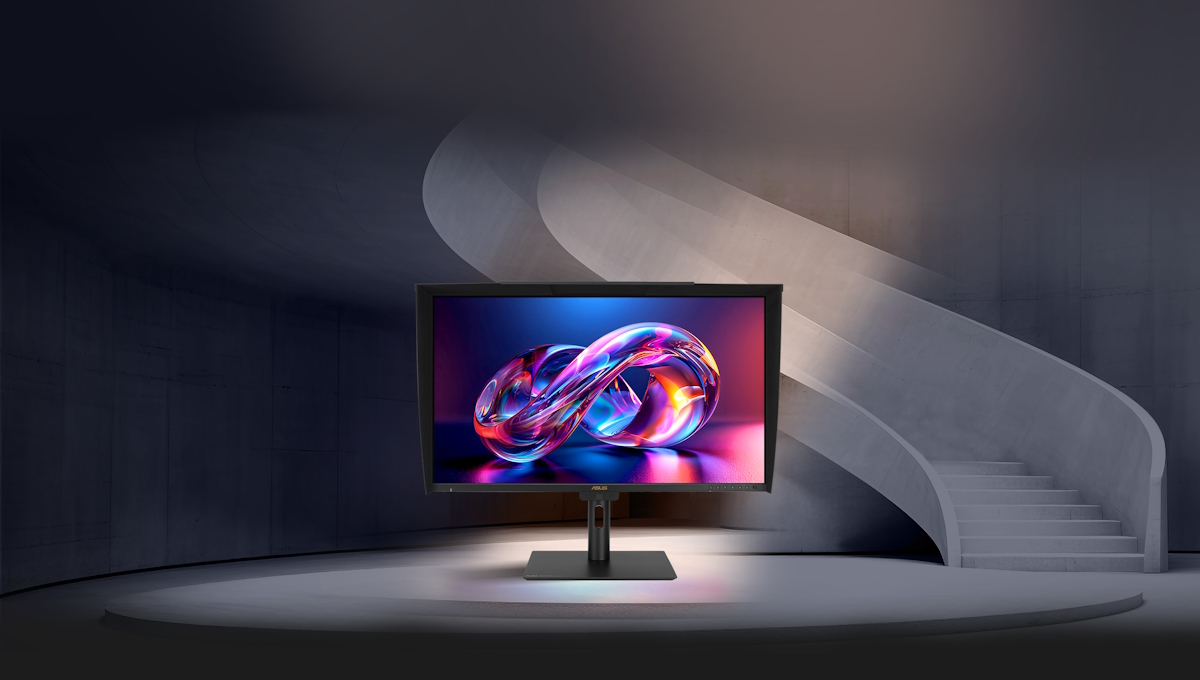
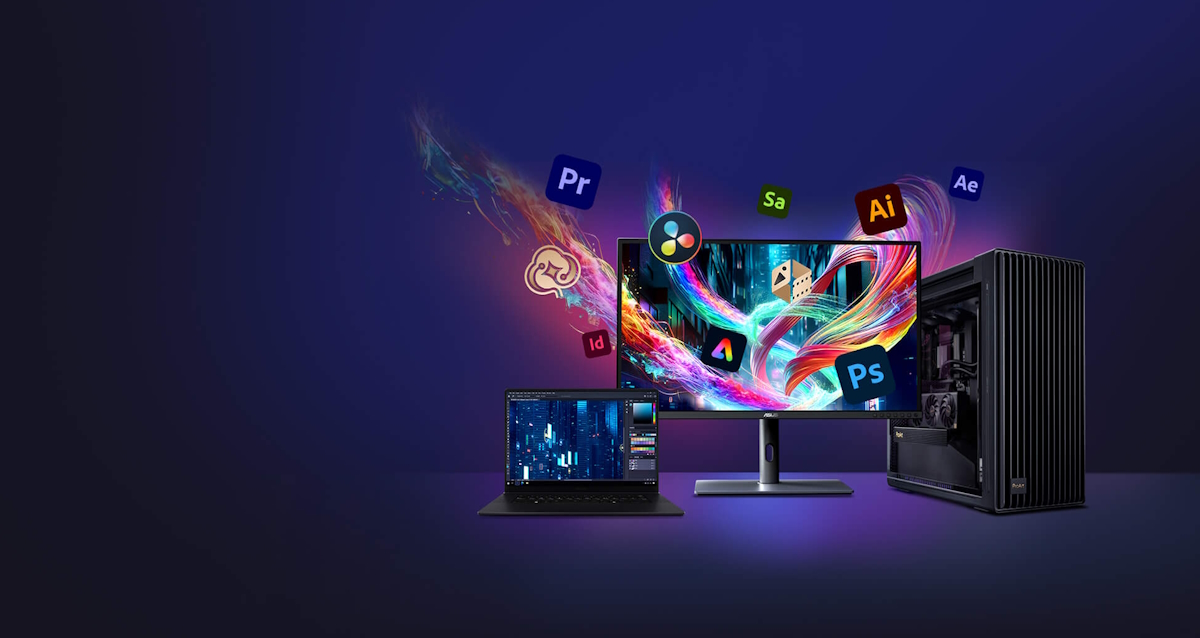
ASUS ProArt Display PA27UCGE is 27-inch 4K HDR monitors designed for video editors and colorists seeking professional-grade color accuracy. 160 Hz high refresh rate, With 600 nits brightness, 98% DCI-P3 gamut, Delta E<1 color accuracy, and ASUS Light Sync for consistent backlight performance, they deliver stunning visuals in any environment. Features like a built-in motorized colorimeter, self-calibration, and LuxPixel technology ensure reliable, distraction-free use. Supporting multiple HDR formats (HLG, HDR-10) and offering extensive connectivity, including USB-C® with 96 W power delivery, making PA27UCGE displays ideal for creative workflows.
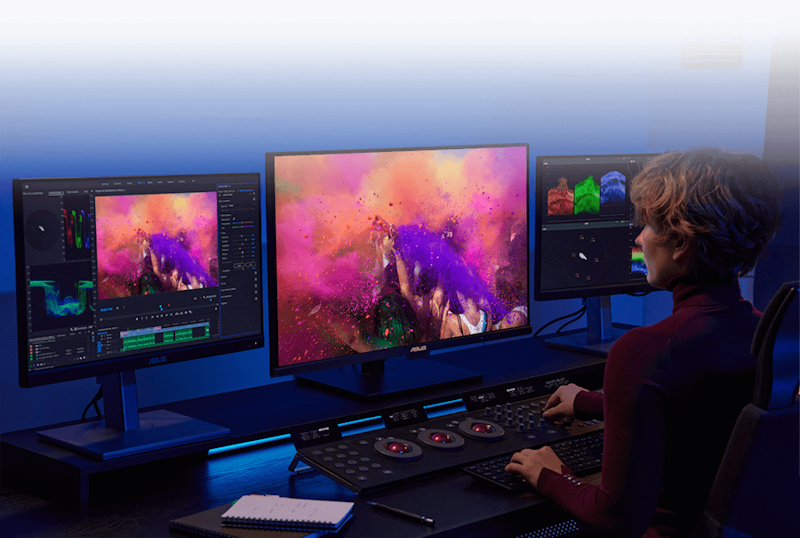
Empowering Content Creators
.png)
.png)
.png)
Colorists
Factory calibrated to Delta E<1 color accuracy for industry-leading color fidelity. It also offers hardware calibration support for consistent color performance.Filmmakers & Video Editors
A high-resolution monitor with wide color gamut performance, and ultrahigh contrast is a must-have tool when producing 4K HDR content.Game Developers
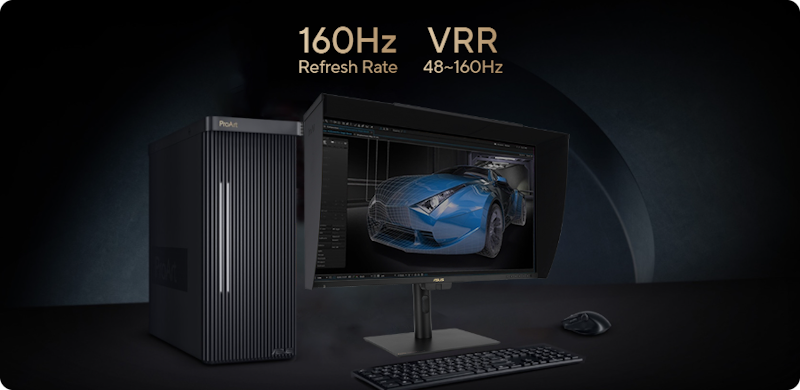
Take advantage of the 48 to 160 Hz refresh rate to create fast-rendering games and conduct quality checks on a single display.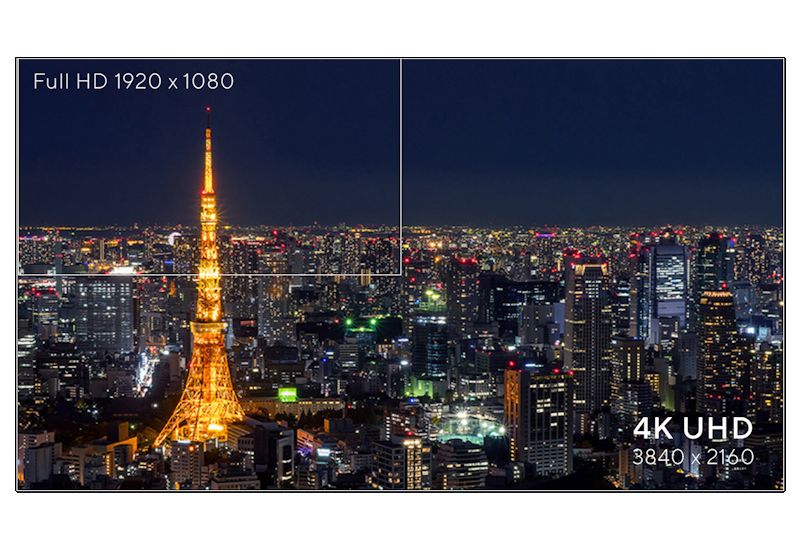
Exquisite 4K HDR Visuals
The 4K HDR (3840 x 2160) panel — up to 300% more onscreen space compared to similarly-sized 4K UHD displays. This increased pixel density results in sharper text and better readability, while offering enhanced visual clarity that’s ideal for creators working on detailed design projects.4K
HDR
HDR
163
PPI
PPI
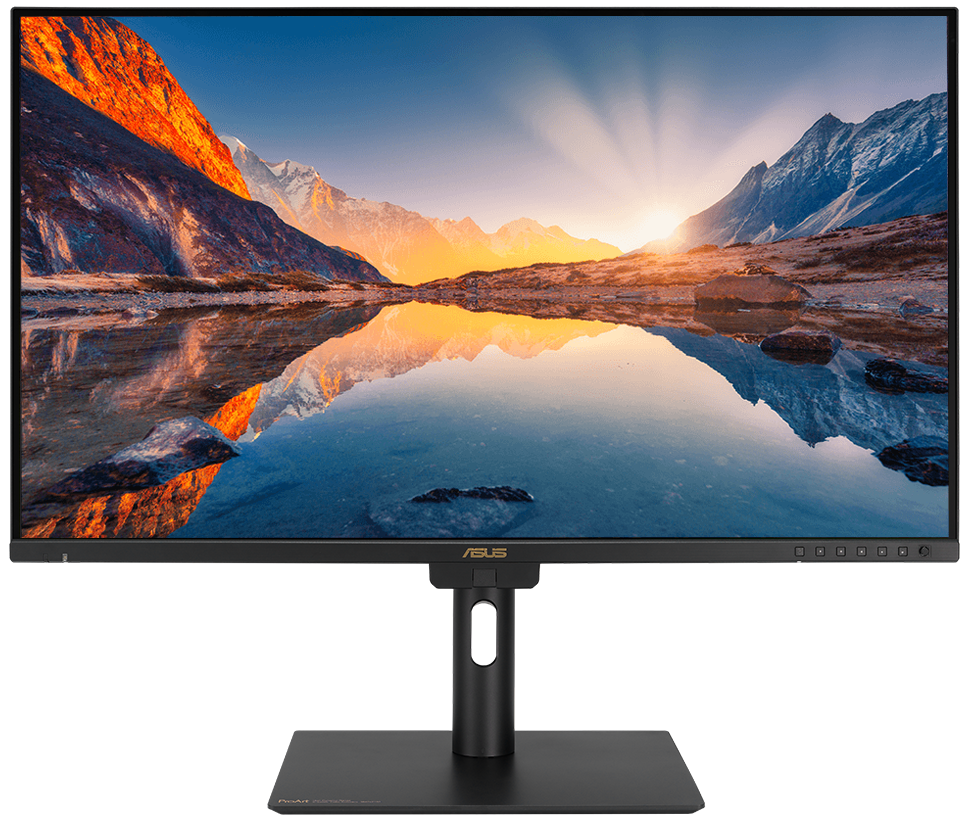
Deeper Blacks, Brighter Whites
A peak brightness of 600 nits allow for outstanding contrast between the deepest blacks and gleaming whites. 600 Nits
Peak brightness
Peak brightness
Precise, Clear Imagery with LuxPixel™
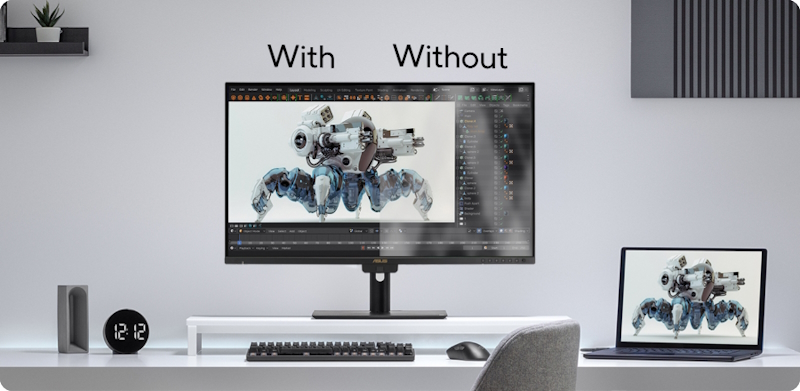
LuxPixel™ technology is an anti-glare, low-reflection (AGLR) coating that provides a paper-like screen effect. Unlike traditional matte panels which often soften imagery, LuxPixel™ technology minimizes reflections to ensure the user sees accurate colors and sharp details.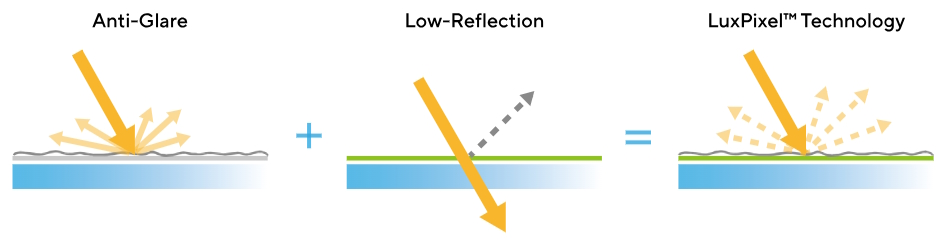
Photorealistic Colors
ProArt monitor is equipped with ASUS Light Sync technology, featuring two sensors designed to ensure remarkable color accuracy and precise color temperature, right on startup.Backlight Sensor
A backlight sensor automatically detects backlight brightness to compensate for deviations at startup, eliminating warm-up time and ensuring accurate color performance, so you can dive straight in to work.
Ambient Light Sensor
An ambient light sensor automatically adjusts display brightness and color temperature based on changes in environmental lighting, ensuring true colors every time.
Intuitive and Intelligent Calibration
True-to-Life Color
PA27UCGE exceeds industry color reproduction standards with its 98% DCI-P3 gamuts, making it ideal for video editing and other post-production tasks. 10-bit IPS panel is able to showcase more than 1.07 billion colors to give content creators a vast color spectrum to work with.98%
DCI-P3
DCI-P3
100%
sRGB
sRGB
10-bit
Class-Leading Color Fidelity
Each ProArt display is factory calibrated using a new, three-scale process to guarantee industry-leading color fidelity. The display then undergoes stringent testing using ASUS advanced grayscale tracking technology to ensure smoother color gradations, better uniformity and high color accuracy with a Delta E < 1 color difference value. Each grayscale level is also carefully measured and set to ensure compliance with the precise DICOM standard for medical image check.ΔE < 1
Color Accuracy
Color Accuracy
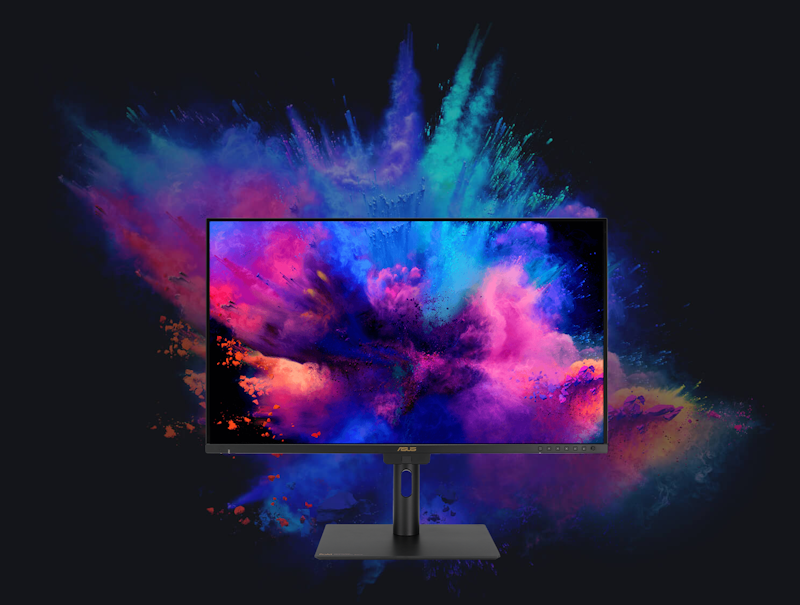
Create in Ultra-Vivid HDR
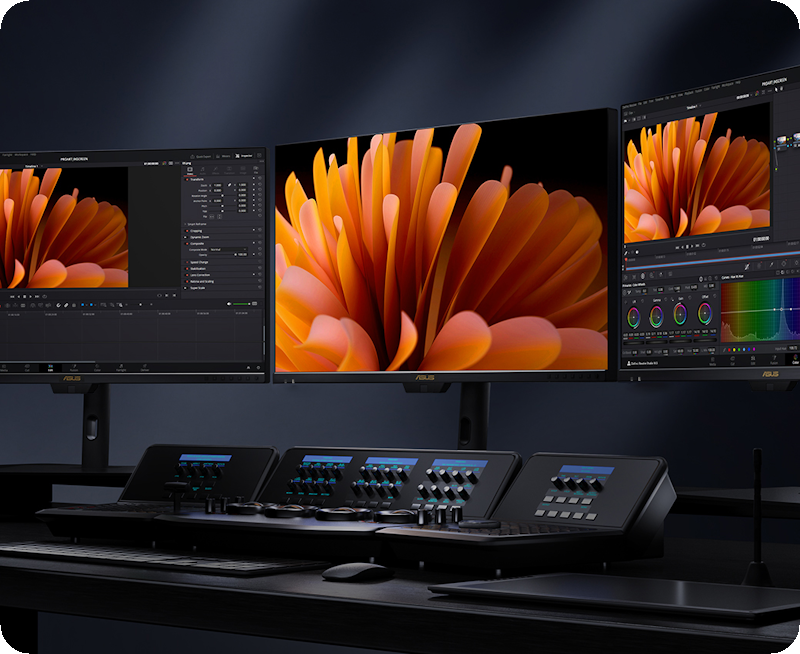
ASUS Smart HDR Technology
Exclusive ASUS Smart HDR technology enables ProArt Display to support multiple HDR formats, including HLG and HDR10.HLG allows users to view and create material for broadcast and satellite TV platforms such as BBC iPlayer, Japan NHK TV, and DirecTV.
HDR10 support ensures compatibility with existing streaming video services and a growing list of HDR-enabled games.
HLG
HDR10
Multiple PQ Curves
ASUS ProArt Displays support multiple HDR10 curves, including PQ Hard Clip, PQ Optimized and PQ Basic, which can cover all content creation needs..png)
.png)
.png)
PQ Hard Clip
This setting preserves the PQ curve until it displays maximum luminance. Anything brighter will be mapped to the maximum luminance of the display.PQ Optimized
This PQ curve setting reproduces accurate gradations that correspond to the maximum brightness of the monitor to deliver optimized HDR performance.PQ Basic
This setting offers general HDR performance.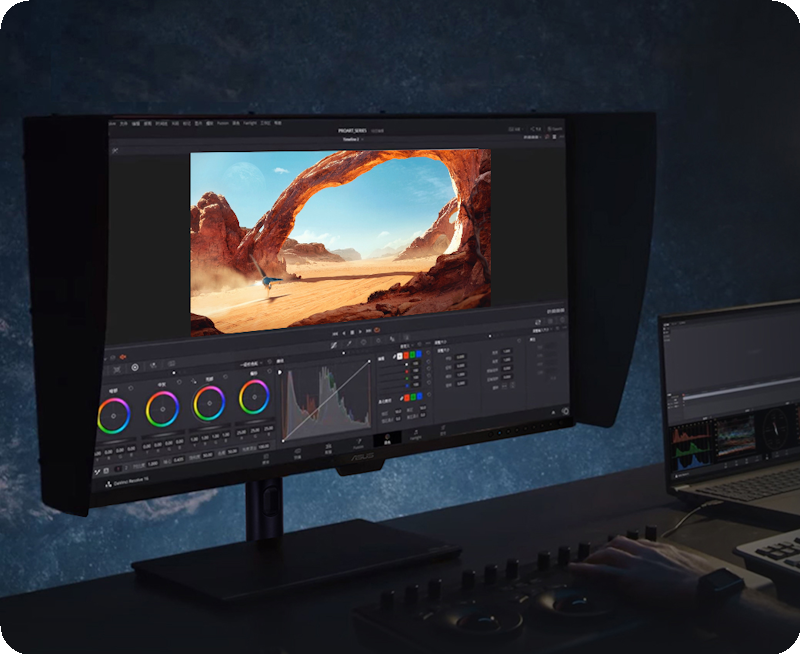
HDR Preview
HDR Preview enables a direct camera-to-monitor connection to view captured HDR content* with its full tonal range. It also works within most video editing software platforms, providing accurate simulations of the final output for an easier, more streamlined editing experience.*Raw data/camera imagery must support HDR mode and the PQ curve.
2D/3D Rendering Friendly
High frame rates ensure smooth visuals and comfortable viewing experiences. With up to a 160 Hz variable refresh rate (VRR), ProArt Display PA27UCGE is also ideal for game developers who need to conduct quality checks on their creations.
Seamless Multitasking Across Two Devices
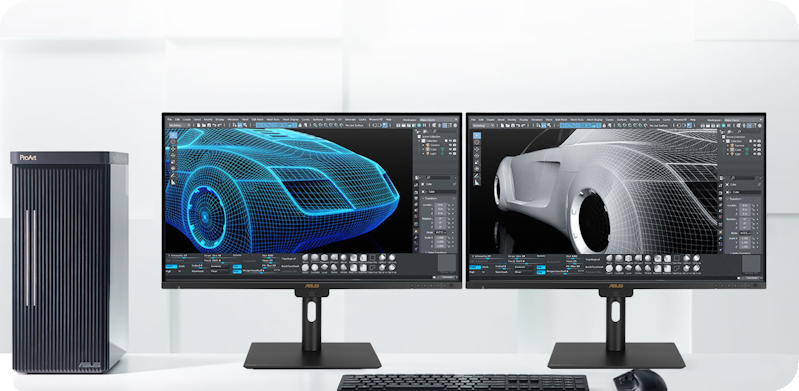
Built-in Auto KVM allows for effortless switching and control between two connected laptops or PCs with a single keyboard and mouse, enabling easier multitasking.
.gif)
The USB-C® That Does it All
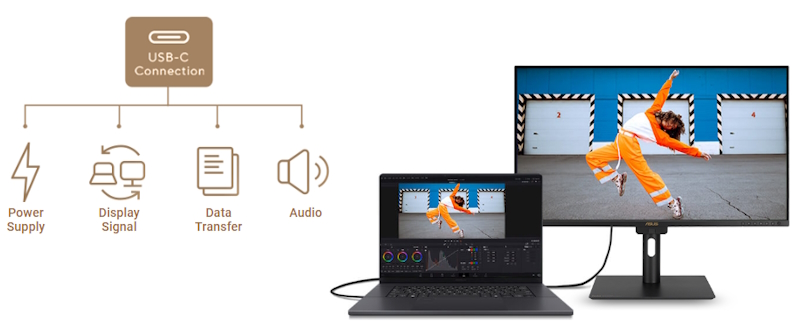
The included USB-C® port enables superfast data transfers, DisplayPort connectivity, and 96-watt power delivery to charge laptops and other devices ― all via a single cable. Also serves as a USB hub: any device connected to the monitor’s USB ports gains access to other connected peripherals.
Expansive Connectivity
In addition to USB-C®, ProArt display offers a myriad of connectivity options including HDMI®, DisplayPort™, USB Type-A and additional USB-C® downstream port for compatibility with a wide range of devices, also includes a passthrough port for headphones.
HDMI®(v2.1)
DisplayPort™ 1.4 (in)
USB-C®
USB-HUB
Earphone Jack
Streamlined, Efficient Workflows
.png)
ASUS DisplayWidget Center
ASUS DisplayWidget Center is an app that allows you to tweak monitor settings with a mouse instead of using the buttons on the monitor..png)
Diverse Viewing Options
Picture-by-Picture (PbP)
View content from up to 2 input sources simultaneously. Each window’s color mode can be configured to sRGB, Adobe RGB, DCI-P3, BT.2020, User Mode 1, User Mode 2, or User Mode 3.Picture-in-Picture (PiP)
This mode places content from a second input source in a smaller window that can be placed in any corner of the display.Ergonomic Design
The ergonomic stand of ProArt Displays offers tilt, swivel, pivot, and height adjustments for the perfect viewing position. Being able to pivot the screen 90° clockwise or anticlockwise to portrait orientation comes in handy when working with posters, playbills, and other large-format projects. A quick-release feature allows users to VESA mount the monitor to a wall to save desktop space..jpg)
.png)
.png)
.png)
Height Adjustment
0~120 mm
Tilt
-5°~+23°
Pivot
-90°~+90°
Swivel
-30°~+30°
.png)
Detachable Monitor Hood
A wraparound hood reduces on-screen reflections from nearby light sources, enabling users to work with confidence when inside the studio or on location.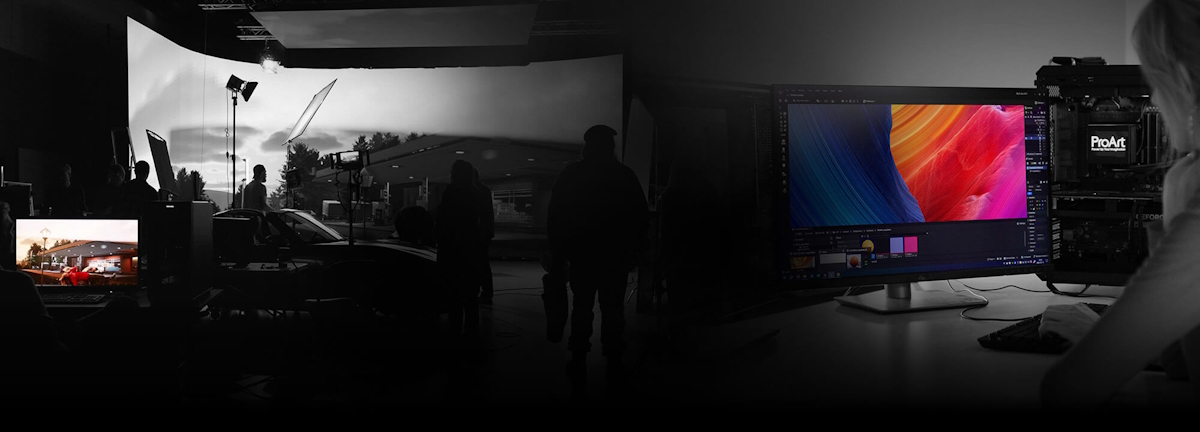

What is ASUS DisplayWidget Center?
ASUS DisplayWidget Center is an app that allows you to tweak monitor settings with a mouse instead of using the buttons on the monitor. Please refer to ASUS DisplayWidget Center | Monitor OSD Management Software for more details.
- Customizable monitor settings
- KB & Hotkey Setting
- Automatic notifications
- Monitor settings saved in the OSD menu
- Color Sync
- App Tweaker
- MultiScreen
- Customized UI
What should Mac users keep in mind when choosing a suitable monitor for graphic design or video editing?
Mac devices deliver high-resolution visuals, so ideally, the chosen monitor should be able to showcase high-res imagery, have a high pixel-per-inch count (PPI), wide DCI-P3 color gamut, as well as a Thunderbolt / full-function USB-C® port with 96-watt Power Delivery. A monitor with HDMI® 2.1 connectivity also provides the flexibility to connect to other devices, without the need for any dongle or adapter. Additional USB Type-A and USB-C® ports will also be able to support USB drives or external storage. A monitor with height, tilt, and swivel adjustments will also provide users with a comfortable and ergonomic viewing position — especially useful when working long hours.
Can the monitor’s USB-C® port charge a MacBook or Windows laptop?
Yes, the USB-C® port of ProArt Display PA27UCGE features 96-watt Power Delivery to charge MacBook or Windows laptops via a single USB-C® cable. USB-C® port is able to transmit audio, video, as well as data.
Activating the monitor’s USB hub when connected to a MacBook or Windows laptop?
If the MacBook or Windows laptop has a Thunderbolt™ / USB-C® port that supports DP Alt mode, simply use a USB-C® cable to connect to the ProArt monitor and the USB hub will be activated automatically. When connecting a MacBook or Windows laptop to the ProArt monitor via HDMI® or DisplayPort™, an additional USB-C-to-USB-A cable is required for an upstream connection to activate the USB hub.
What is Delta E?
The Delta E value measures the difference between two colors that appear onscreen. A Delta E<1 value indicates a negligible color difference that is only perceptible through very close observation.
Should the monitor be calibrated before use?
Each ProArt display is individually calibrated at the factory to achieve Delta E<1 color accuracy. Each of the monitor’s color gamut standards (sRGB, DCI-P3, Adobe RGB) have also been calibrated, so it’s ready to use right out of the box.
If the colors appear inaccurate after using the monitor for a while, what should I do?
ProArt Display offers a free "ProArt Calibration" tool designed for precise and accurate color performance. It supports ProArt displays with hardware calibration capabilities, allowing users to save color profiles directly onto the display's internal scaler IC chip, rather than on the PC. This means you can connect the display to devices with different operating systems or applications without needing to adjust settings. Available for both macOS and Windows, the tool ensures professional-grade color accuracy. Additionally, ProArt Display integrates seamlessly with third-party hardware calibration software, including Calman and Light Illusion ColourSpace CMS. For more details and to download, refer to the ProArt Display Color Management Software & Tools.
What are the benefits of a KVM switch?
A KVM switch lets users control two connected laptops or PCs via a single keyboard and mouse. This helps maximize desktop space, allows for more efficient management of multiple systems, and reduces costs.
How to set up the Auto KVM function?
One of the host devices must be connected via a USB-C® (with DP Alt mode) connection, while the other device requires an HDMI® or DisplayPort connection (for the video signal), alongside a USB-C-to-USB-A cable connection for an upstream link. The keyboard or mouse dongle must then be plugged into the ProArt monitor to allow users to switch between and control the two input sources via a single keyboard and mouse set.

Sustaining anIncredible Future

Environmental Certification
ProArt Display PA27UCGE is stringently tested to meet the requirements of world-leading sustainability certifications. These tests are based on a comprehensive database of up-to-date criteria, with results independently verified. ASUS also has a structured system in place to ensure the continuous improvement of these tests.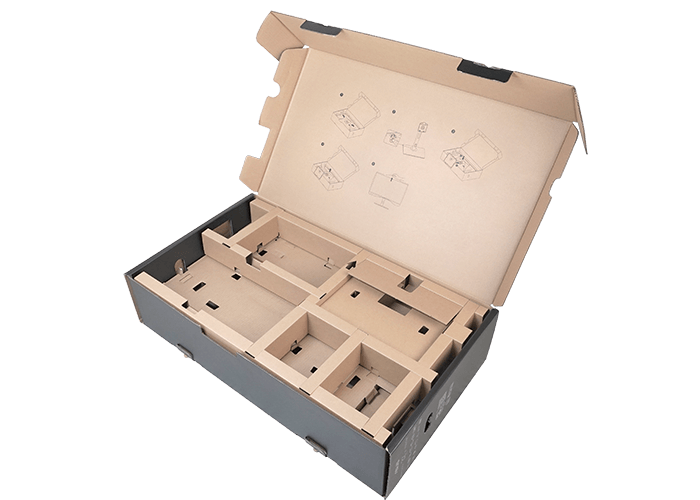
Eco-friendly Packaging
ProArt Displays are shipped in packaging made from 100% recyclable cardboard with FSC Mix. The packaging has been designed to minimize weight and volume, helping to conserve natural resources and allowing more devices to be transported in a single shipping container.
Energy-Efficient Features
ProArt Display PA27UCGE has a power-saving Eco-mode, and achieves zero-watt power consumption with hard-switch off.
Eco-friendly Materials
Extensive research and development ensure ProArt Display PA27UCGE is made from eco-friendly materials like 85% post-consumer recycled (PCR) plastics. It also features eco-friendly components such as mercury-free panels.

Adobe Creative Cloud All Apps
The Creative Cloud All Apps is a subscription plan that includes more than 20 creative apps, including Photoshop, Premiere Pro, Illustrator, InDesign, Audition, XD, and After Effects. You also get Adobe Fonts, thousands of free assets in Adobe Stock, templates, 100 GB of cloud storage, and more.Adobe Acrobat Standard DC
Acrobat Standard DC includes everything in Acrobat Standard, plus advanced PDF features and e-signature features, such as turning scanned documents into editable, searchable PDFs, comparing PDFs to review differences and so on.Adobe Substance 3D
Adobe Substance 3D applications give users access to a collection of tools and content to create, capture, and texture 3D assets, as well as compose and render 3D scenes.- Products certified by the Federal Communications Commission and Industry Canada will be distributed in the United States and Canada. Please visit the ASUS USA and ASUS Canada websites for information about locally available products.
- All specifications are subject to change without notice. Please check with your supplier for exact offers. Products may not be available in all markets.
- Specifications and features vary by model, and all images are illustrative. Please refer to specification pages for full details.
- PCB color and bundled software versions are subject to change without notice.
- Brand and product names mentioned are trademarks of their respective companies.
- The terms HDMI™, HDMI™ High-Definition Multimedia Interface, HDMI™ Trade dress and the HDMI™ Logos are trademarks or registered trademarks of HDMI™ Licensing Administrator, Inc.
- The actual transfer speed of USB 3.0, 3.1, 3.2, and/or Type-C® will vary depending on many factors including the processing speed of the host device, file attributes and other factors related to system configuration and your operating environment.
- Product Security Update Support Periods : 3 years (until 31/12/2026).
About ASUS
ASUS is a multinational company best known for their motherboards, PCs, monitors, graphics cards and routers. Along with an expanding range of superior gaming, content-creation and AIoT solutions, ASUS leads the industry through cutting-edge design and innovations made to create the most ubiquitous, intelligent, heartfelt and joyful smart life for everyone. With a global workforce that includes more than 5,000 R&D professionals, ASUS is driven to become the world’s most admired innovative leading technology enterprise.
About ROG
Republic of Gamers (ROG) is an ASUS sub-brand dedicated to creating the world’s best gaming hardware and software. Formed in 2006, ROG offers a complete line of innovative products known for performance and quality, including motherboards, graphics cards, laptops, desktops, monitors, audio equipment, routers and peripherals. ROG participates in and sponsors major international gaming events. ROG gear has been used to set hundreds of overclocking records and it continues to be the preferred choice of gamers and enthusiasts around the world.
© 2022 ASUS Computer International. All Rights Reserved. ASUS is a registered trademark of ASUSTeK Computer. All specifications and terms are subject to change without notice. Please check with your supplier for exact offers on selected models. Products may not be available in all markets. Product may not be exactly as shown in photos. Actual colors may differ from their appearance due to variation of monitor restrictions and color processing. All trademarks are registered to their respective companies. ASUS shall not be liable for technical or editorial errors or omissions contained herein.
ASUS is a multinational company best known for their motherboards, PCs, monitors, graphics cards and routers. Along with an expanding range of superior gaming, content-creation and AIoT solutions, ASUS leads the industry through cutting-edge design and innovations made to create the most ubiquitous, intelligent, heartfelt and joyful smart life for everyone. With a global workforce that includes more than 5,000 R&D professionals, ASUS is driven to become the world’s most admired innovative leading technology enterprise.
About ROG
Republic of Gamers (ROG) is an ASUS sub-brand dedicated to creating the world’s best gaming hardware and software. Formed in 2006, ROG offers a complete line of innovative products known for performance and quality, including motherboards, graphics cards, laptops, desktops, monitors, audio equipment, routers and peripherals. ROG participates in and sponsors major international gaming events. ROG gear has been used to set hundreds of overclocking records and it continues to be the preferred choice of gamers and enthusiasts around the world.
© 2022 ASUS Computer International. All Rights Reserved. ASUS is a registered trademark of ASUSTeK Computer. All specifications and terms are subject to change without notice. Please check with your supplier for exact offers on selected models. Products may not be available in all markets. Product may not be exactly as shown in photos. Actual colors may differ from their appearance due to variation of monitor restrictions and color processing. All trademarks are registered to their respective companies. ASUS shall not be liable for technical or editorial errors or omissions contained herein.
Se Asus seneste FAQ - løser 90 % af typiske problemer
http://www.asus.com/dk/support/
Teknisk support: 38 32 29 43
Bemærk: Enkelte produkter forekommer med tysk manual i stedet for Dansk.
https://rma.asus-europe.eu/?country=dk
I tilfælde af problemer kan Asus kontaktes på 38 32 29 43
ASUS tilbyder 7 dages DOA, Hent DOA formular her
https://drive.google.com/file/d/1lJ00yTXfFLrQrG6m9PHZ5HS2C55gdpGm/view?usp=sharing
Send til [email protected]
ASUS skal kontaktes direkte for forespørgseler til reklamation.
Vurderes problemet godkendt til en reklamation, resultater dette i et sags nummer der giver adgang til ASUS pickup skema for reparation og ombytninger.
Du udfylder den relaterende produktside formularer (det er vigtigt, at du vælger hvorvidt det er en Notebook, en Eee eller en anden vare).
Formularen afsluttes og kunden modtagere et ASUS RMA nummer og mere information omkring afhentnings processen.
ASUS sender et fragtlabel, til indsendelse af produktet.
http://www.asus.com/dk/support/
Teknisk support: 38 32 29 43
Bemærk: Enkelte produkter forekommer med tysk manual i stedet for Dansk.
RMA
For håndtering og oprettelse af Asus garanti benythttps://rma.asus-europe.eu/?country=dk
I tilfælde af problemer kan Asus kontaktes på 38 32 29 43
ASUS tilbyder 7 dages DOA, Hent DOA formular her
https://drive.google.com/file/d/1lJ00yTXfFLrQrG6m9PHZ5HS2C55gdpGm/view?usp=sharing
Send til [email protected]
ASUS skal kontaktes direkte for forespørgseler til reklamation.
Vurderes problemet godkendt til en reklamation, resultater dette i et sags nummer der giver adgang til ASUS pickup skema for reparation og ombytninger.
Du udfylder den relaterende produktside formularer (det er vigtigt, at du vælger hvorvidt det er en Notebook, en Eee eller en anden vare).
Formularen afsluttes og kunden modtagere et ASUS RMA nummer og mere information omkring afhentnings processen.
ASUS sender et fragtlabel, til indsendelse af produktet.