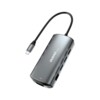
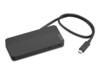
Dockingstations for multiple purposes
Docking stations are most often used in office environments or by individuals looking for a plug-and-play solution. With a docking station, you can avoid cable clutter and the hassle of plugging or unplugging multiple cables – just connect your laptop to the dock.
Offer a wide selection to your customers
With our large range of docking stations, resellers can offer a broad selection to meet various needs.
Our docking stations come from well-known brands that produce some of the best on the market. You'll find docks from Lenovo, HP, Dell, Acer and Dudao.
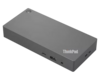
Lenovo docking stations
Lenovo’s docking stations are some of the most popular and in-demand on the market. They feature a square, streamlined design with various ports including USB-C, USB-A, Micro-USB, HDMI, audio jack, and LAN cable.
Browse our range of Lenovo docking stations here.
HP docking stations
HP docking stations are known for their Thunderbolt support, offering fast charging and high compatibility. Check out our selection of HP docking stations here.
Dell docking stations
Dell docking stations are solid and even budget models often support up to 3 monitors with 4K resolution.
With the latest Thunderbolt technology, Dell docks offer rapid charging and smooth communication with connected devices like monitors, mice, keyboards, and more.
Acer docking stations
Acer’s docking stations are innovative, compact, and high-performing despite their small size.
Typically smaller than Dell or HP equivalents, Acer docks provide the same smart features that make connectivity easy and efficient.
See all our Acer docking stations here.
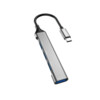
Dudao docking stations
Dudao is one of our top-selling brands. Despite a lower price point, Dudao docks offer high quality. Compact in size, they still provide the same performance and functionality as larger docks.
Offer your customers Dudao docks and be surprised by their quality. Find our Dudao dock selection here.
Which types of docking stations are best to stock?
Navigating the docking station market can be tricky, but several key factors can guide your purchasing decisions.
Compatibility, number of ports, and monitor support are the most important features. More options and specs – such as DisplayPort, Thunderbolt, and 4K resolution – usually mean higher prices, while simpler docks are more affordable.
Docking stations offer many benefits
A docking station makes it easy and convenient to connect your laptop to your office setup. Depending on the model, you can usually connect up to three monitors, increasing efficiency and reducing setup time.
Benefits of using docking stations:
Avoid cable clutter: Set up once – then just plug in the laptop to connect to your screen, mouse, keyboard, and other accessories.
Easy plug-and-play: With one cable, you're ready to go – easy to leave or return to your desk.
Compact size: Modern docks take up little space, freeing up your desk area.
Time-saving: Save time with the quick plug-and-play functionality.