EN   DA   SV
To gain full access to our webshop, find our entire product range and see our prices, you need to be logged in.
Log in to your account here or sign up as a customer here.

Factory Refurbished Drives from Seagate, Toshiba and LaCie | Big Savings

From: 28-03-25 To: 08-08-35

Type: News

Drives "Factory Refurbished"
When a hard drive is labeled as Factory Refurbished, it means that the unit has previously been used or returned by a customer and has since been thoroughly inspected, tested, and refurbished by the manufacturer – typically manufacturer themselves – or an authorized service partner. The result is a product that performs like new but is sold at a lower price – and many resellers are already seeing strong business potential in these products.

The process includes:

Return: The hard drive is returned for various reasons, such as defects, buyer’s remorse, excess inventory, or display models.
Diagnostics: The manufacturer tests the hard drive for errors, often more thoroughly than for new products.
Repair: Any faults are corrected, and defective components are replaced.
Cleaning and Updating: The hard drive is cleaned, and the firmware is updated if necessary.
Final Test: A final test ensures that the hard drive meets quality standards, after which it is certified as factory refurbished.
Repackaging: The hard drive is repackaged and sold with a new, often shorter, warranty.

We provide a 1-year warranty on "factory refurbished" drives from Seagate, Toshiba and LaCie.

Back to campaigns list

Show all options

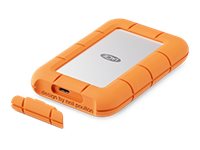
Seagate Expansion SSD STLH1000400 1TB USB 3.0 - FACTORY REFURBISHED

  • Product no 1003567120
  • Model STLH1000400-FR
  • Brand Seagate
  • EAN 8719706042628

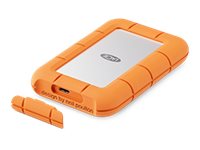
LaCie Rugged Mini Harddisk 1TB USB 3.2 Gen 2x2 - FACTORY REFURBISHED

  • Product no 1003567125
  • Model STMF1000400-FR
  • Brand Seagate
  • EAN 8044684408723

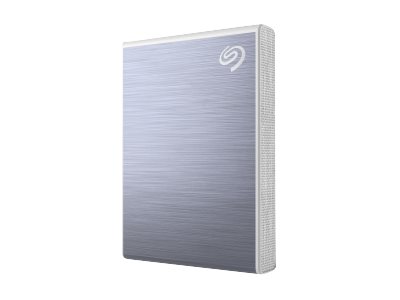
Seagate One Touch SSD SSD STKG1000402 1TB USB 3.0 - FACTORY REFURBISHED

  • Product no 1003680301
  • Model STKG1000402-FR
  • Brand Seagate
  • EAN 3660619040650

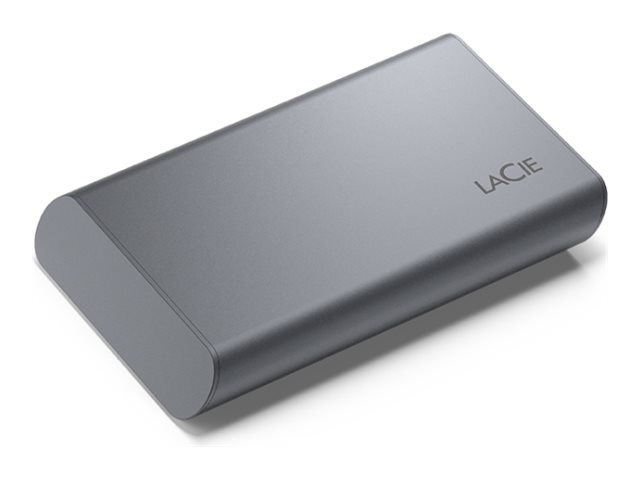
LaCie Mobile Secure SSD STKH1000800 1TB USB 3.2 Gen 2 - FACTORY REFURBISHED

  • Product no 1003566792
  • Model STKH1000800-FR
  • Brand Seagate
  • EAN 3660619040797

Internal SSDs

Internal SSDs are used as primary or secondary storage in desktops, workstations, and laptops where performance, stability, and compatibility are critical. The category includes solid state drives for both upgrades and new installations, delivering fast data access, low latency, and reliable operation.

Benefits for resellers

Internal SSDs are well suited for standardized configurations as well as targeted upgrades. A wide range of capacities, interfaces, and form factors makes it possible to support both legacy platforms and modern systems using consistent specifications, simplifying inventory management and compatibility decisions.

Key considerations in this category

  • Capacity: SSDs are available in multiple sizes – from smaller capacities for operating systems and basic installations to larger capacities for applications, databases, and extensive data storage.
  • Interface: The choice of interface directly affects performance and compatibility. SATA is commonly used in existing or older systems, while PCIe/NVMe delivers significantly higher speeds in modern hardware platforms.
  • Form factor: Internal SSDs are available in several form factors, including 2.5" and M.2 in various lengths. The form factor must match the motherboard, chassis, and thermal constraints.
  • Performance: Sequential read/write speeds and IOPS should be aligned with the workload – from standard office use to more demanding environments.
  • Compatibility: BIOS/UEFI support and PCIe generation are important factors when upgrading existing systems.

Brands in this category

Frequently asked questions

How do you choose the right capacity?

Capacity should be selected based on data volume, application requirements, and expected future growth.

Which interface is most relevant?

SATA is typically used in older systems, while PCIe/NVMe is preferred in newer platforms with higher performance requirements.

What does form factor mean for internal SSDs?

The form factor determines physical compatibility with the motherboard and chassis and must match system specifications.

Can internal SSDs be used for upgrades?

Yes, internal SSDs are commonly used for upgrades, provided the interface and form factor are supported.