EN   DA   SV
To gain full access to our webshop, find our entire product range and see our prices, you need to be logged in.
Log in to your account here or sign up as a customer here.
Show all options
Show all options
Show all options
Show all options

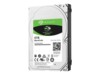
Seagate Guardian BarraCuda Harddisk ST5000LM000 5TB 2.5" SATA-600 5400rpm

  • Product no 991763943
  • Model ST5000LM000
  • Brand Seagate
  • EAN 0763649078969

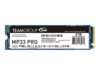
Team Group SSD MP33 Pro 2TB M.2 PCI Express 3.0 x4 (NVMe)

  • Product no 996760558
  • Model TM8FPD002T0C101
  • Brand Team Group
  • EAN 0765441052420

Toshiba N300 NAS Harddisk MN10ADA400ES 4TB 3.5" Serial ATA-600 7200rpm

  • Product no 1002923373
  • Model MN10ADA400ES
  • Brand Toshiba
  • EAN 4260557512968

WD Red Harddisk WD20EFPX 2TB 3.5" SATA-600 5400rpm

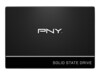
PNY SSD CS900 2TB 2.5" SATA-600

WD_BLACK SN850X NVMe SSD SSD WDS400T2X0E 4TB M.2 PCI Express 4.0 x4 (NVMe)

  • Product no 1002559633
  • Model WDS400T2X0E
  • Brand SanDisk
  • EAN 0718037891378

Synology Plus Series Harddisk HAT3300 16TB 3.5" Serial ATA-600 7200rpm

  • Product no 1001867352
  • Model HAT3310-16T
  • Brand Synology
  • EAN 4711174725595

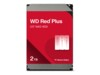
WD Red Plus Harddisk WD100EFGX 10TB 3.5" Serial ATA-600 7200rpm

Samsung 9100 PRO SSD MZ-VAP1T0 1TB M.2 PCI Express 5.0 x4 (NVMe)

  • Product no 1003081936
  • Model MZ-VAP1T0BW
  • Brand Samsung
  • EAN 8806095811628

Kioxia Exceria G3 SSD 1TB M.2 PCIe 5.0 x4 (NVMe)

  • Product no 1003830013
  • Model LVC10Z001TG8
  • Brand KIOXIA
  • EAN 4582761161504

KIOXIA Exceria Plus G3 Series SSD LSD10Z002TG8 2TB M.2 PCI Express 4.0 x4 (NVMe)

  • Product no 1001685716
  • Model LSD10Z002TG8
  • Brand KIOXIA
  • EAN 4582563857889

Patriot SSD P300 512GB M.2 PCI Express 3.0 x4 (NVMe)

Intenso SSD TOP 256GB M.2 SATA-600

  • Product no 992828423
  • Model 3832440
  • Brand Intenso
  • EAN 4034303025886

Seagate IronWolf Harddisk ST8000VN004 8TB 3.5" SATA-600 7200rpm

  • Product no 994786023
  • Model ST8000VN004
  • Brand Seagate
  • EAN 7330381873836

Samsung 870 EVO 2.5" SSD - 250 GB

  • Product no 997974831
  • Model MZ-77E250B/EU
  • Brand Samsung
  • EAN 8806090545931

Samsung 980 SSD MZ-V8V500BW 500GB M.2

  • Product no 998293014
  • Model MZ-V8V500BW
  • Brand Samsung
  • EAN 8806090572227

Seagate SkyHawk Harddisk ST8000VX010 8TB 3.5" SATA-600

  • Product no 1000802073
  • Model ST8000VX010
  • Brand Seagate
  • EAN 8719706028325

WD Purple Harddisk WD85PURZ 8TB 3.5" Serial ATA-600 5640rpm

Crucial SSD P310 2TB M.2 PCI Express 4.0 x4 (NVMe)

  • Product no 1003041889
  • Model CT2000P310SSD5
  • Brand Crucial
  • EAN 0649528944771

WD Blue SN5000 SSD WDS400T4B0E 4TB M.2 PCI Express 4.0 x4 (NVMe)

  • Product no 1003046802
  • Model WDS400T4B0E
  • Brand SanDisk
  • EAN 0718037898384

SanDisk SSD Plus 250GB 2.5" Serial ATA-600

  • Product no 1003410732
  • Model SDSSDA-250G-G28
  • Brand SanDisk
  • EAN 0619659217969

Patriot SSD P400 V4 4TB M.2 PCI Express 4.0 x4 (NVMe)

  • Product no 1002938665
  • Model P400VP4TBM28H
  • Brand Patriot Memory
  • EAN 4711378421675

Kingston SSD A400 480GB 2.5" SATA-600

Intenso SSD Top Performance 512GB 2.5" SATA-600

  • Product no 987676768
  • Model 3812450
  • Brand Intenso
  • EAN 4034303017546

Internal hard drives

Internal hard drives are used for capacity-oriented storage in desktop PCs, workstations, servers, and storage systems where cost per GB and predictable operation are key parameters. The category covers internal HDDs, hard disk drives, and mechanical drives for both upgrades and new builds, as well as solutions where large data volumes need to be archived or handled locally.

Benefits for resellers

Internal hard drives make it possible to work with fixed capacity tiers and well-known form factors for standard configurations, service replacements, and project deliveries. The assortment can be composed to include models for general PC storage as well as drives targeted at scenarios requiring high uptime, sustained read/write workloads, or storage in NAS environments.

Key considerations in this category

  • Capacity and use case: Select capacity based on data volume, retention needs, and whether the drive is mainly for archive, backup, or active data workloads.
  • Form factor: 3.5" is typically used in desktops and storage systems, while 2.5" is often found in compact systems and certain enterprise setups.
  • Interface: SATA is common for standard platforms, while SAS can be relevant in server and storage environments with specific controller requirements.
  • Performance profile: RPM, cache, and workload ratings affect responsiveness and stability under sustained loads.
  • Compatibility: Check motherboard/controller support, chassis bay space, and cooling; mismatches can lead to noise, heat, or reduced lifespan.
  • Complementary storage: For faster system storage, an SSD can be combined with HDDs for data, archive, and backup.

Related subcategories

Internal HDD
Mechanical hard drives for capacity-focused storage in PCs, workstations, and storage tasks.

Internal SSD
Storage with a focus on higher speed and lower latency, often used as system and application drives.

Components
Related parts for complete builds and replacements where storage must match the rest of the hardware.

Computer cases
Case selection affects drive mounting, airflow, and space for 2.5"/3.5" drives.

Fans and coolers
Proper cooling can improve stability and lifespan, especially in systems with multiple drives or high duty cycles.

Brands in this category

Frequently asked questions

When do internal hard drives make more sense than SSDs?

When capacity and cost per GB matter more than maximum speed, such as for archives, backups, and large data sets.

Which form factor should be chosen: 2.5" or 3.5"?

3.5" is typically standard for desktops and storage systems, while 2.5" is often used in compact systems and some enterprise platforms.

What should be considered regarding the interface?

SATA fits most standard platforms, while SAS requires a compatible controller and is more common in server and storage environments.

Can HDDs and SSDs be combined in the same system?

Yes, an SSD can be used for OS and applications while HDDs handle data, archives, and backups.

How does cooling affect operation and lifespan?

Stable temperatures reduce the risk of failures under long-term load, especially in multi-drive systems.